 Sport CRM
Custom fields
Add your own fields to the cards of players, contacts, teams, payments, locations and staff (text, a number, a date, yes/no or a choice) and decide which ones parents see.
Per a: propietari
Every club keeps something of its own: kit size, licence number, allergies, school. That's what custom fields are for: you decide what the card asks.
Some fields are there from the start, added by the sport when the club was created: in football the position, preferred foot and shirt number; in martial arts the belt, weight class and rank. Rename them, add options or archive them like any other field.
Who can
The owner and support create and change fields. Values are filled in by whoever works with the card: a manager, or a coach for their players.
Add a field
Open Club settings → Custom fields. There is a card for each kind of record: Players (or Students, Clients, as your sport calls them), Contacts, Teams, Payments (with the finance module), Locations and Staff.
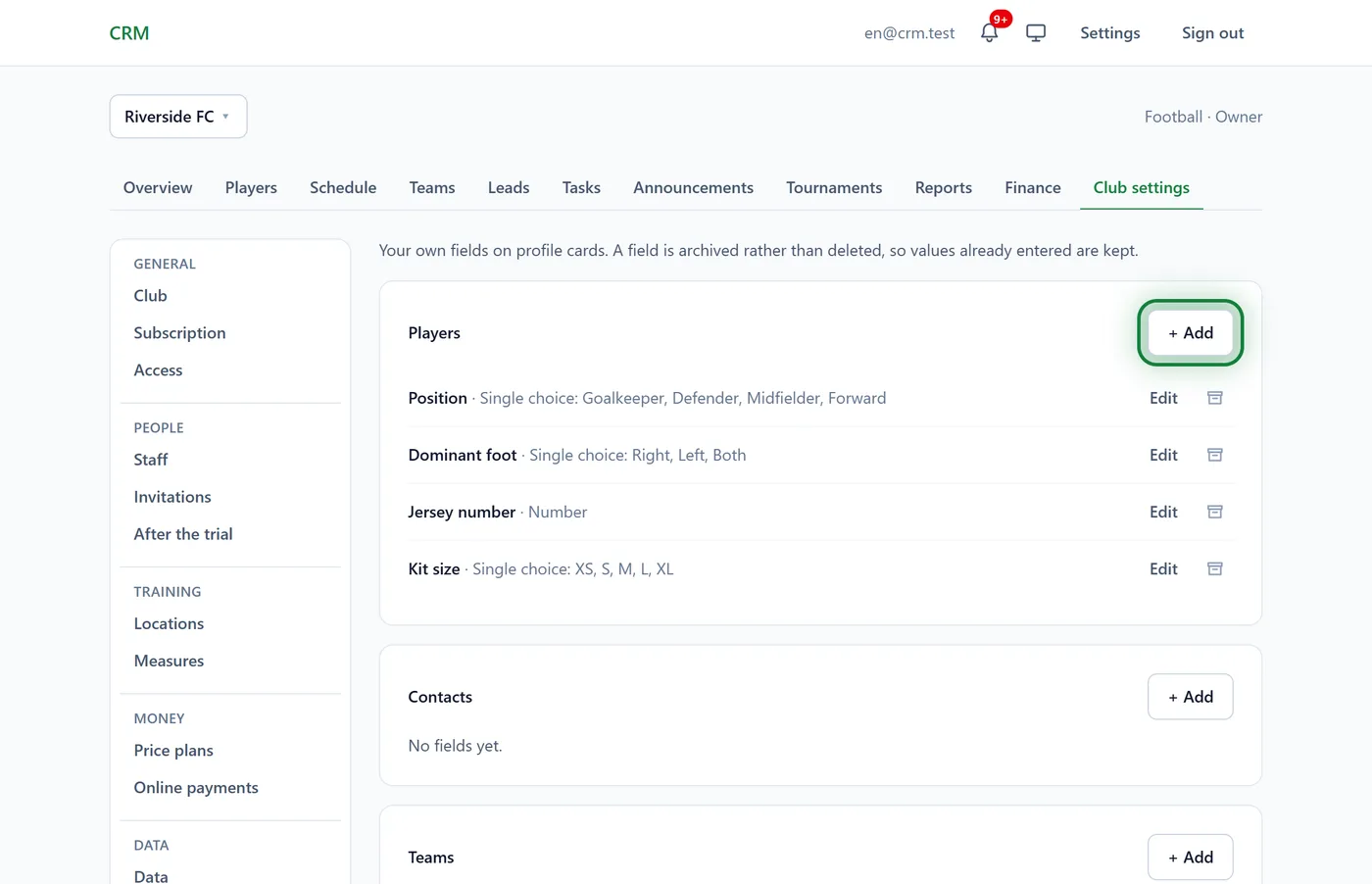
In the card you need, click + Add.
Enter the Field name and choose the Type:
- Text, Number, Date, Yes / No;
- Single choice or Multiple choice: then enter the options under New options, one per line.
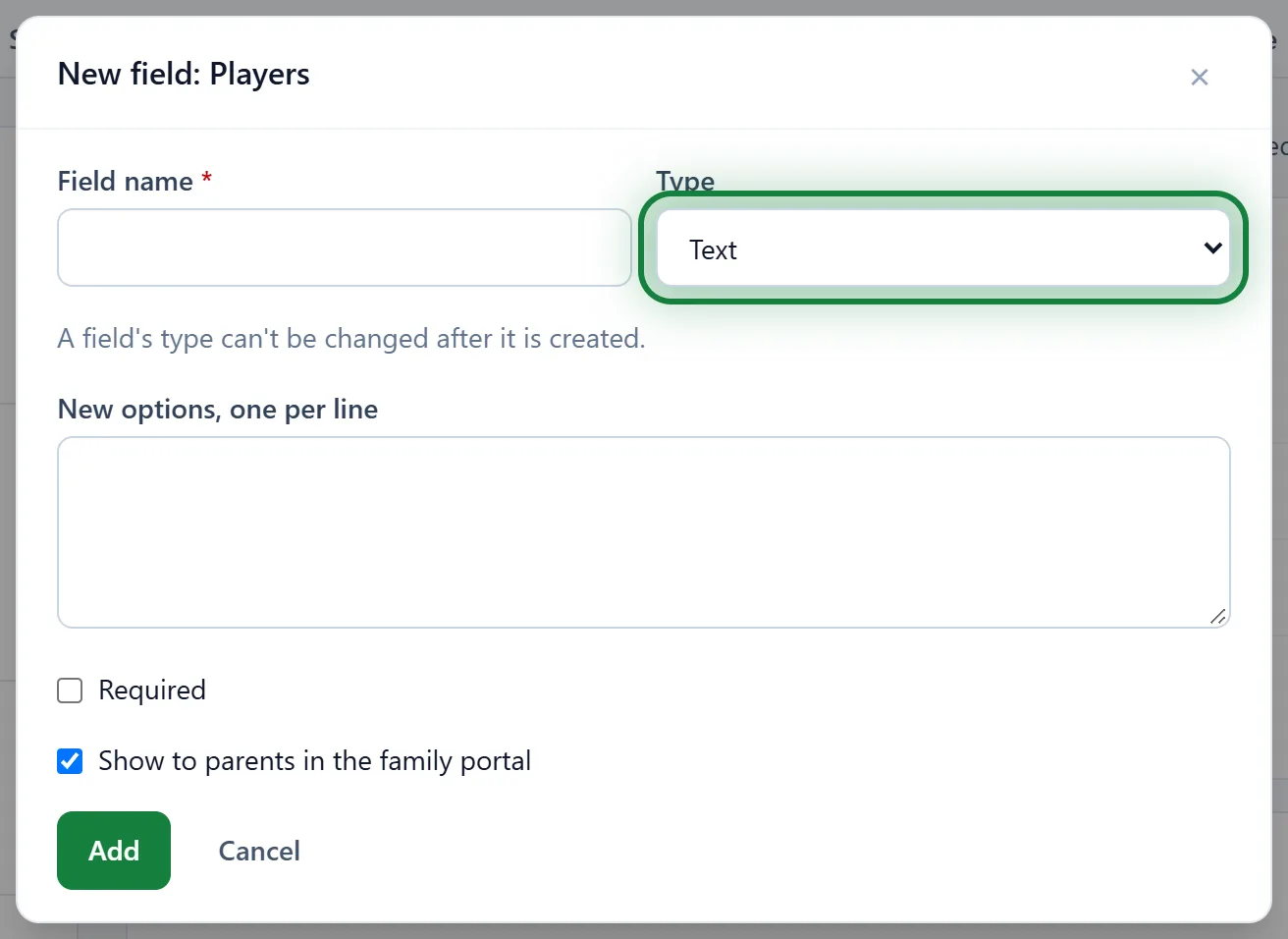
Tick Required if you need it. Player fields also have Show to parents in the family portal, ticked to begin with.
Click Add. The field shows on that card's form straight away.
Change or remove a field
- Edit: the name, option names, new options, whether it's required and whether parents see it.
- The archive icon: the field leaves forms and lists, and the values already entered stay. Restore brings it back.
A field is never deleted for good, so no data is ever lost.
What parents see
Player fields with Show to parents in the family portal appear on the child's page under What the club has on file. Keep internal fields, such as a coach's notes, private by unticking it.
Tips
- Choices beat free text: they're easier to compare and filter in Excel.
- Players' custom fields are part of the Excel import and the club export: Import players, Data export.
In the app
Menu → Club settings → Custom fields: the same cards and form.
FAQ
I can't see Custom fields in the settings
It's there for the owner and support. Managers fill fields in but don't create them.
How do I remove one option from a list?
Options aren't deleted, so filled-in cards don't break. Rename the option, or create a new field with the right list and archive the old one.