 Sport CRM
Price plans and subscriptions
Set up the club's price plans (monthly, a session pack or a single session), sell a subscription to a player with a discount, freeze it or cancel it.
Für: Inhaber, Manager
A price plan is a price with its rules: "Monthly, 40 €", "8 sessions, 35 €". A subscription is a plan sold to one player from a start date. Subscriptions drive the balance: how much a player owes and when the next payment is due.
Who can
The owner creates price plans (and support, if the owner lets support see the finances). Anyone on the staff can sell a subscription, even a coach at the side of the pitch. Freezing or cancelling one is for managers and up.
Price plans
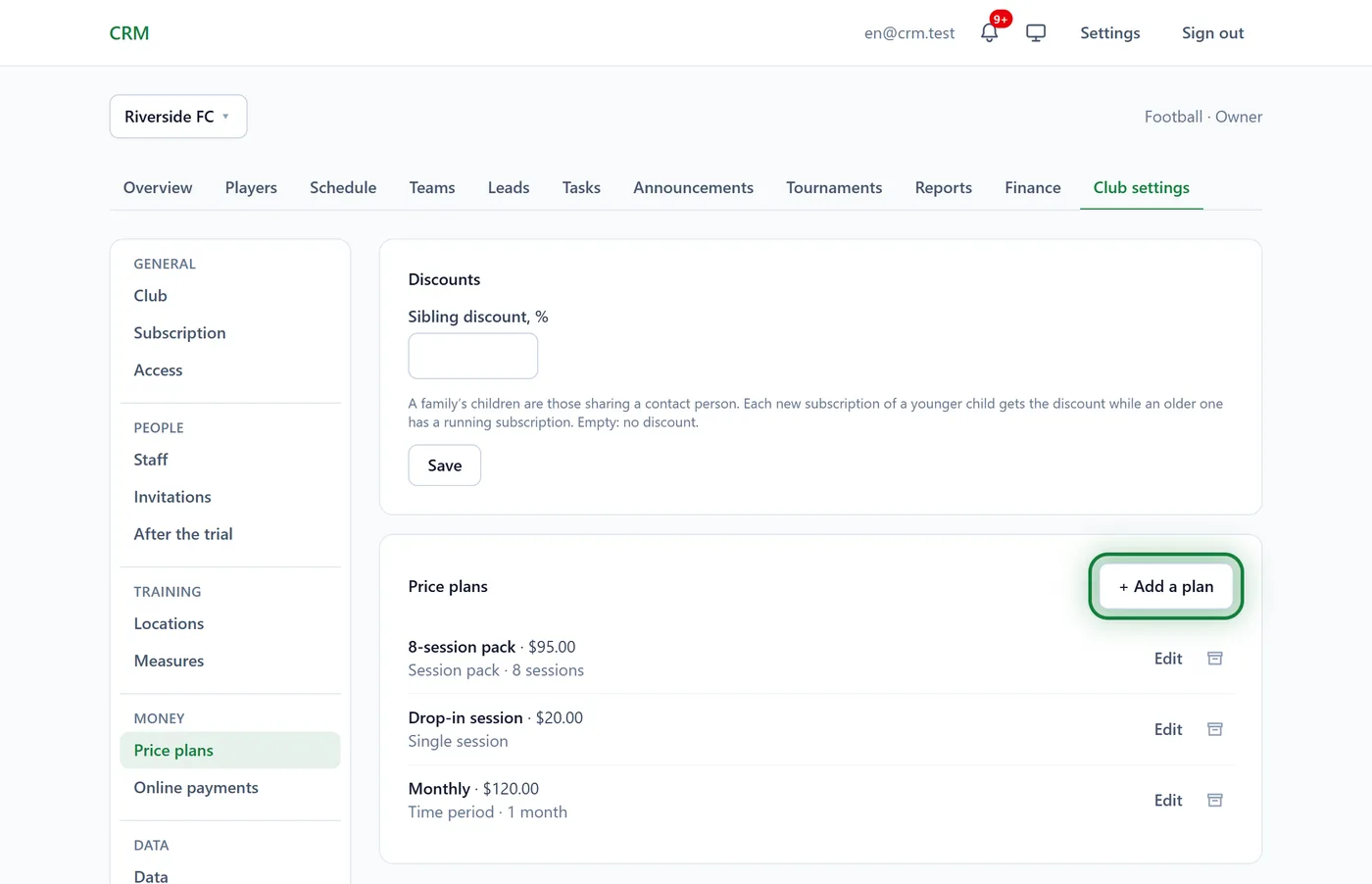
Open Club settings → Price plans and click + Add a plan.
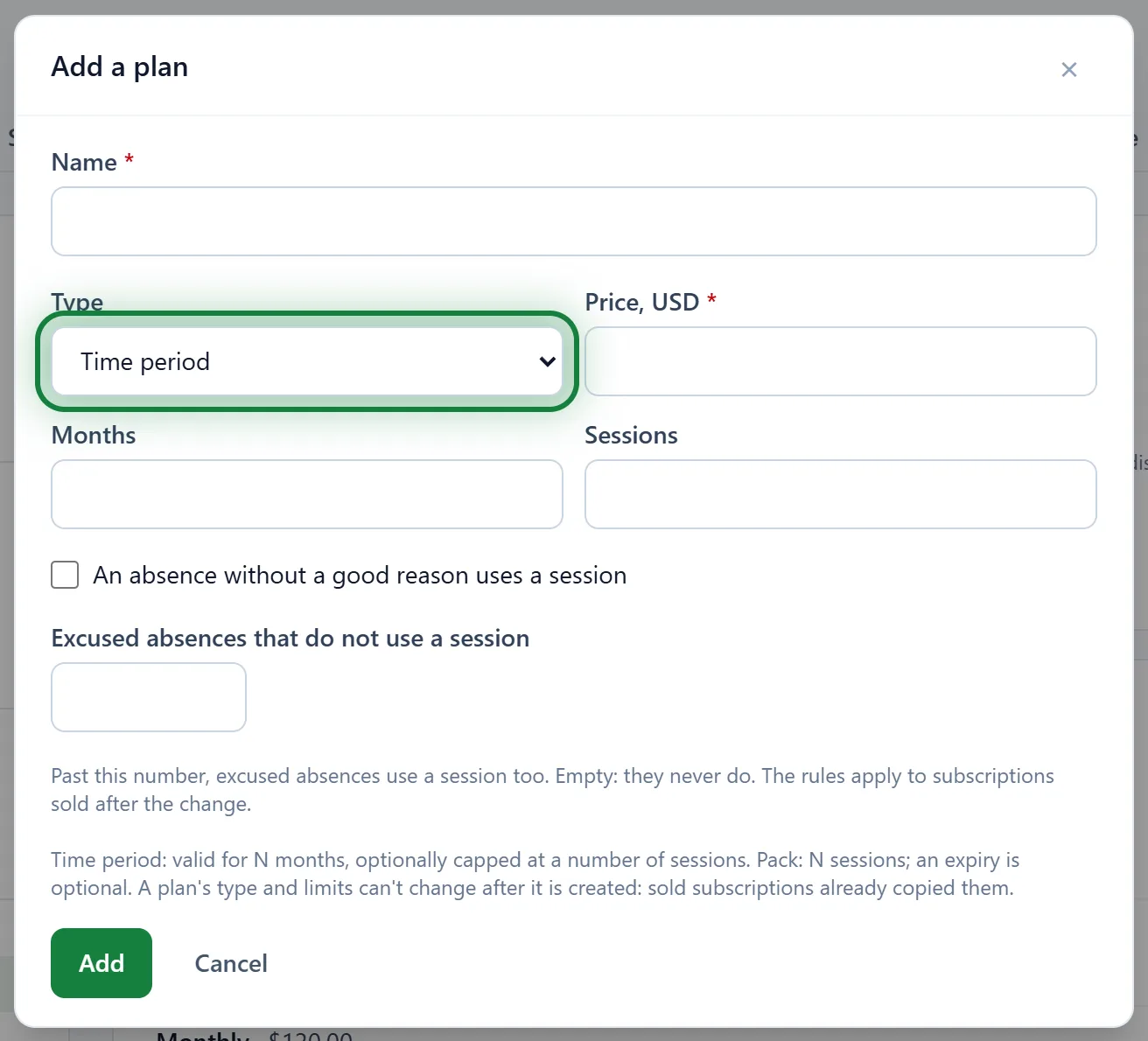
Type a Name and a Price and choose the Type:
- Time period: valid for a number of Months. You can cap the Sessions or leave it empty.
- Session pack: N Sessions. An expiry in months is optional.
- Single session: one visit.
For packs, decide what uses up a session: the box An absence without a good reason uses a session and the field Excused absences that do not use a session.
Click Add.
Sell a subscription
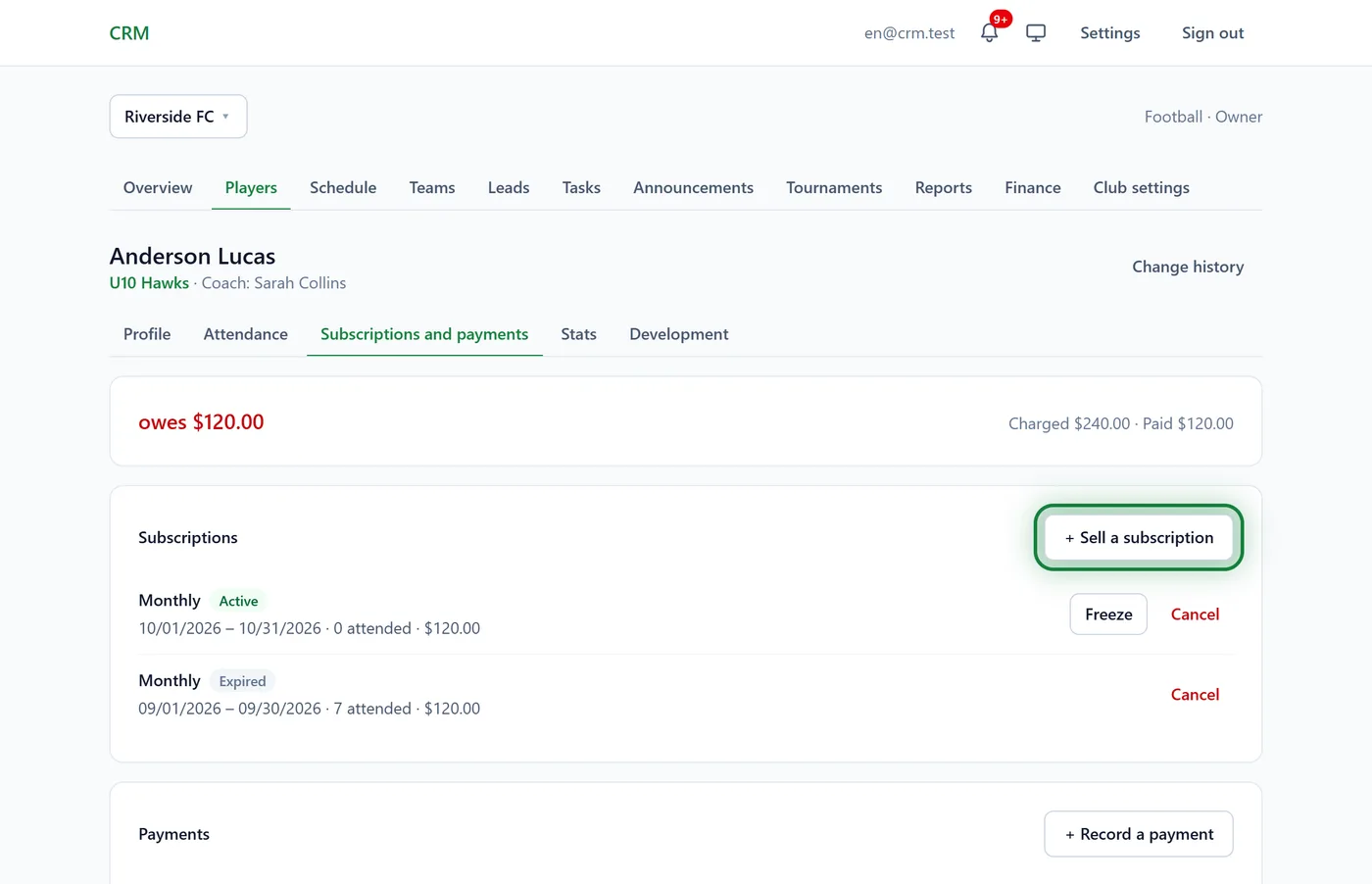
Open the player's profile, the Subscriptions and payments tab, and click + Sell a subscription.
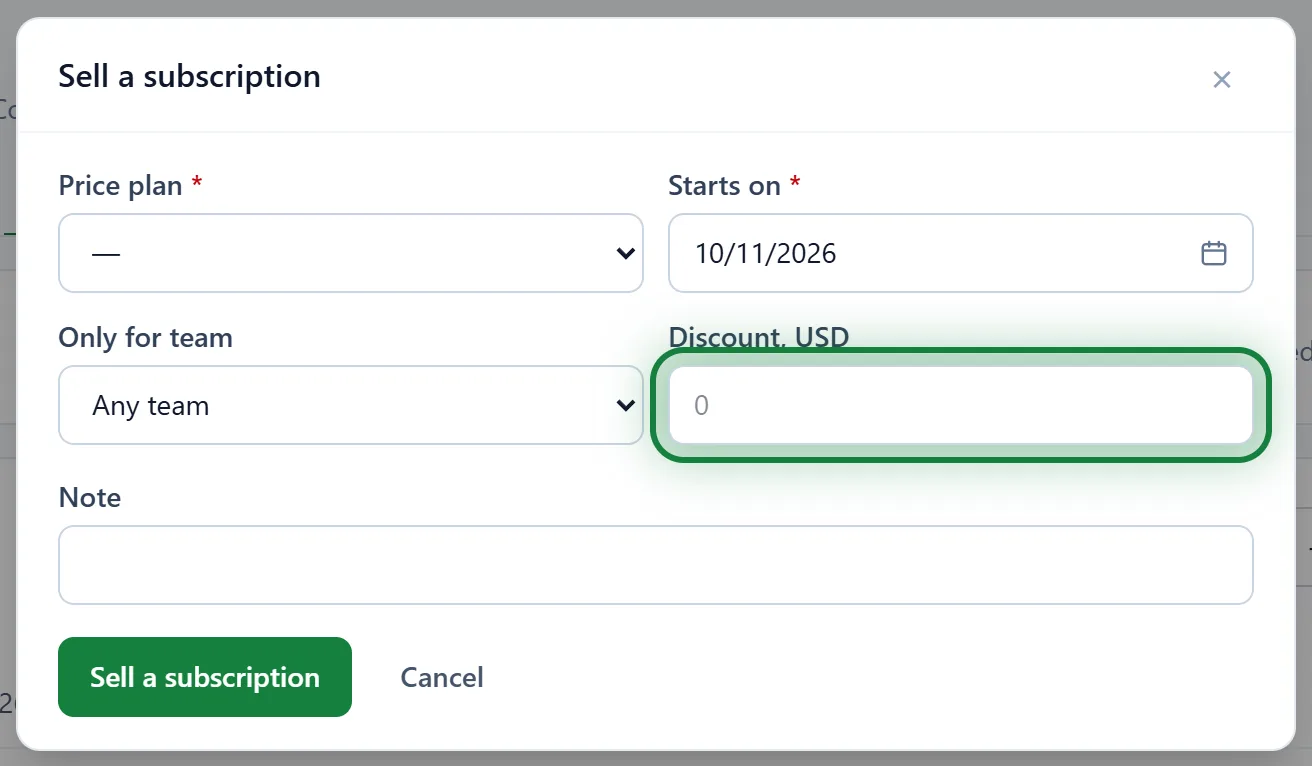
Choose the Price plan and the date it Starts on. If it covers only one of the player's teams, pick it under Only for team.
Discount is an amount off the price. For a free place (a 100% discount), enter the plan's full price.
Click Sell a subscription. The price minus the discount is charged to the player's balance. When the family pays, click + Record a payment below.
If the new subscription's dates overlap one the player already has, you get a warning. Both are charged: click Sell anyway or Cancel.
Freeze
The player is ill or away for a month? Click Freeze next to the subscription, set From and To, and save. The subscription runs that many days longer. Back early? Unfreeze (it removes the whole pause) and freeze again with the real "To" date. More in Freezing and session packs.
Cancel
Cancel next to a subscription, and its price no longer counts as owed. A mistake? Restore.
Tips
- A sibling discount is set as a percentage on the Price plans page, in the Discounts block ("Sibling discount, %"). It applies by itself unless you type another discount when selling.
- Each subscription shows its state (Active, Not started, Frozen, Used up, Expired, Cancelled) and how many sessions are left.
- Parents see the subscription, the sessions left and the balance in their portal.
FAQ
Why are there no "Session pack" and "Single session" types?
The club does not keep attendance (Club settings → Club → Keep attendance). Without marks there is nothing to use up a pack, so only time-period subscriptions are sold.
A manager doesn't see "Price plans" in the settings
That is by design: plans are part of the club's finances, which are closed to managers. Managers can still sell subscriptions and record payments.
There is no "Sell a subscription" button
The club has no price plans yet. Add them first in Club settings → Price plans.