 Sport CRM
Coach pay
Give a coach a rate per session and a percentage of payments, see what they earned in a month, record a payout, and decide what coaches can see of it.
Para: propietario, entrenador
Sport CRM works out what the club owes each coach for a month: the sessions they ran plus a share of what the players of their teams paid. You only set the rates and record the payouts.
The module comes with the Club and Academy plans.
Who can
- The owner (and support, if allowed to see the finances) sees everyone's pay, sets rates and records payouts.
- A coach sees pay only if the owner allows it: A coach sees their own pay shows only their own lines; A coach sees other coaches' pay shows everyone. The switches are under Club settings → Access.
- Managers don't see pay.
How it adds up
Earned = for sessions + from payments.
- For sessions: sessions held × the Per session rate. A session is held once its attendance is marked. Stand-ins count: the session goes to whoever actually ran it.
- From payments: a percentage of what the players of their teams paid in the month, for the teams the person coaches now. When two people coach a team, its players' payments count for each of them.
The club doesn't keep attendance? Then a session counts as held once its time is over, or when the coach clicks Session held, depending on the choice in Club settings → Club.
Set the rates
Open Reports → Pay. The Rates card is at the bottom.
For each staff member enter Per session (a fixed amount) and the % of payments. Empty means zero.
Click Save on that person's line.
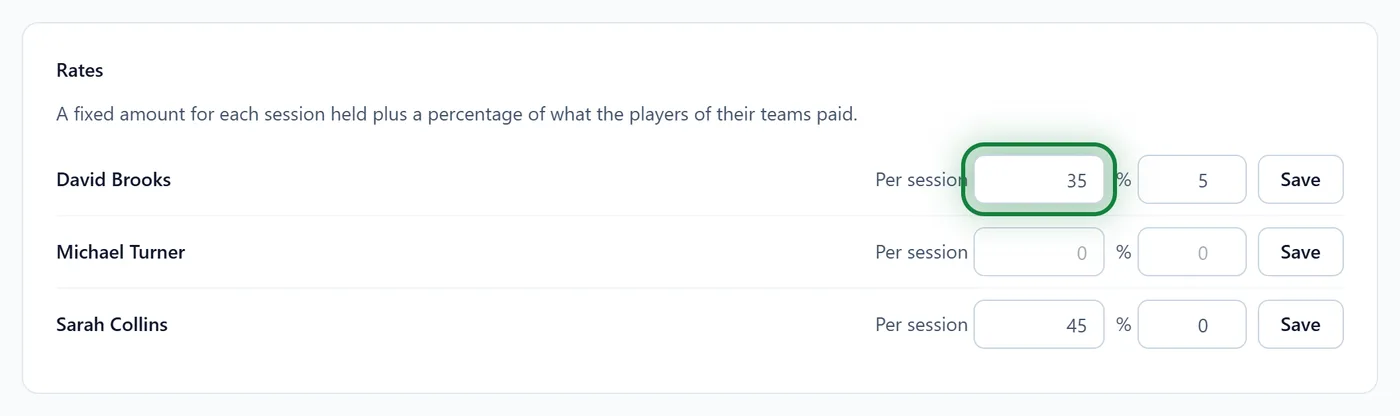
With individual sessions in the club there is also Per individual session; empty means the same as a group session. See Individual sessions.
The month's pay and a payout
Reports → Pay shows one month; the ‹ › arrows change it.
Each line has For sessions ("8 sessions × $35.00", say), From payments ("5% of $3,090.00"), Earned, Paid and Owed.
To record a payout, click Pay out on the coach's line. Enter the Amount, Paid on and an optional Note, then Record the payout.
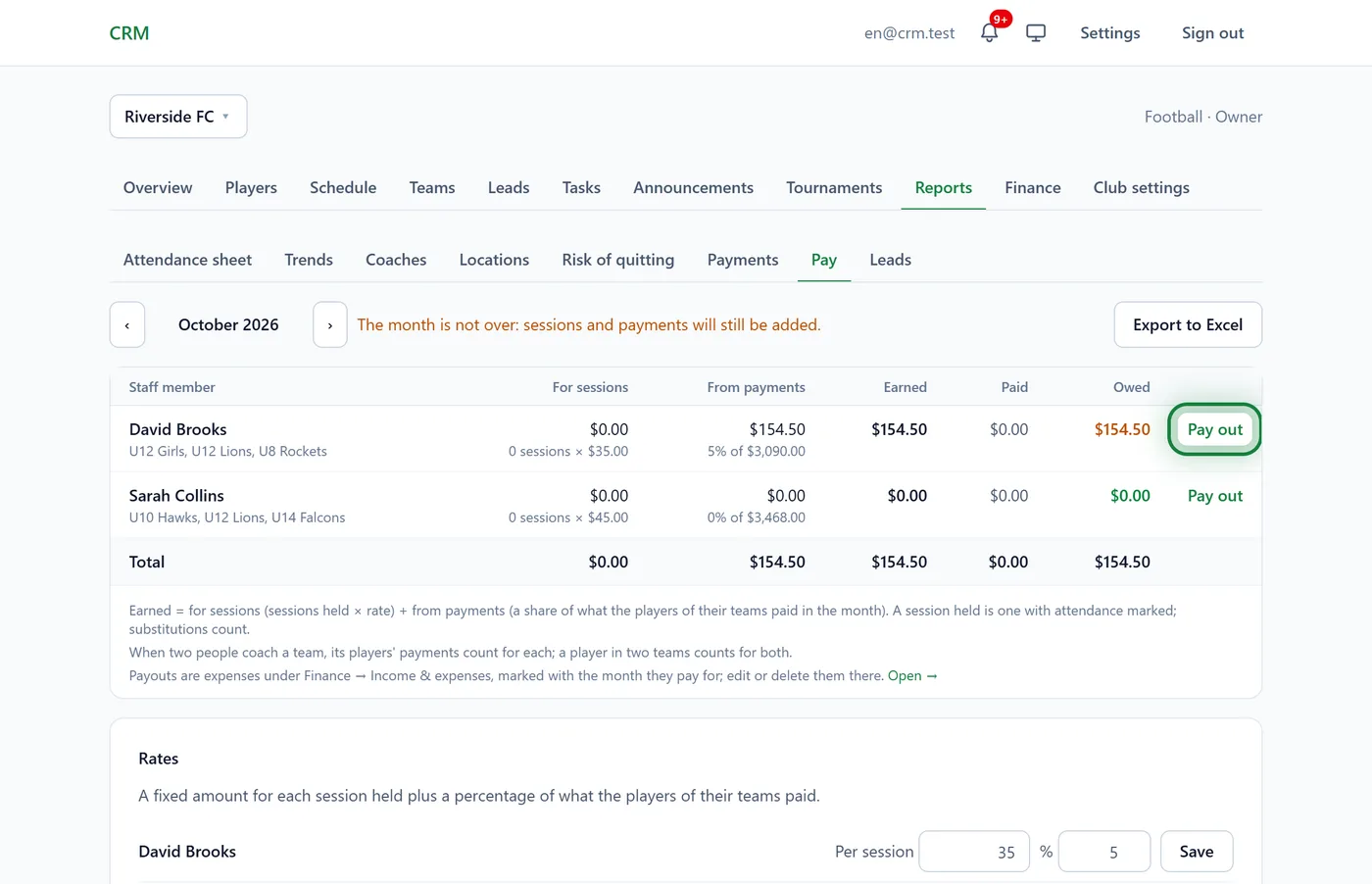
The payout shows under Finance → Income & expenses as an expense marked with who it was for and which month. Edit or delete it there.
While the month is running, it says "The month is not over: sessions and payments will still be added." Export to Excel downloads the table.
In the app
Menu → Reports → Pay: the same month, the rates and the payout button.
Tips
- An advance? Record it early: if more is paid than earned, Owed shows "overpaid …".
- Paid September's pay in October? It still counts for September, the month you have open in the report.
- With this module, Finance → Overview shows Profit after pay: payments and other income minus expenses and the pay earned that month.
FAQ
A coach has 0 sessions but did work
The sessions aren't marked. Ask the coach to mark the register: as soon as the marks are in, the sessions count.
A coach can't see their pay
The owner has to turn on A coach sees their own pay under Club settings → Access. Coaches never change rates or payouts.
A player is in two teams: does their payment count twice?
Yes, once for each coach of each team. If that doesn't suit you, lower the percentage.