 Sport CRM
For parents: signing in
How parents join the club's family portal from an invitation and follow their child's schedule, attendance, payments and announcements.
Para: familias
The family portal shows everything about your child at the club: the schedule, attendance, the balance and announcements. To get in you need an invitation from the club: a personal link. Without one, the portal stays empty.
Steps
Get the link from the club. A coach or the front desk usually sends it by messenger or email. It looks like
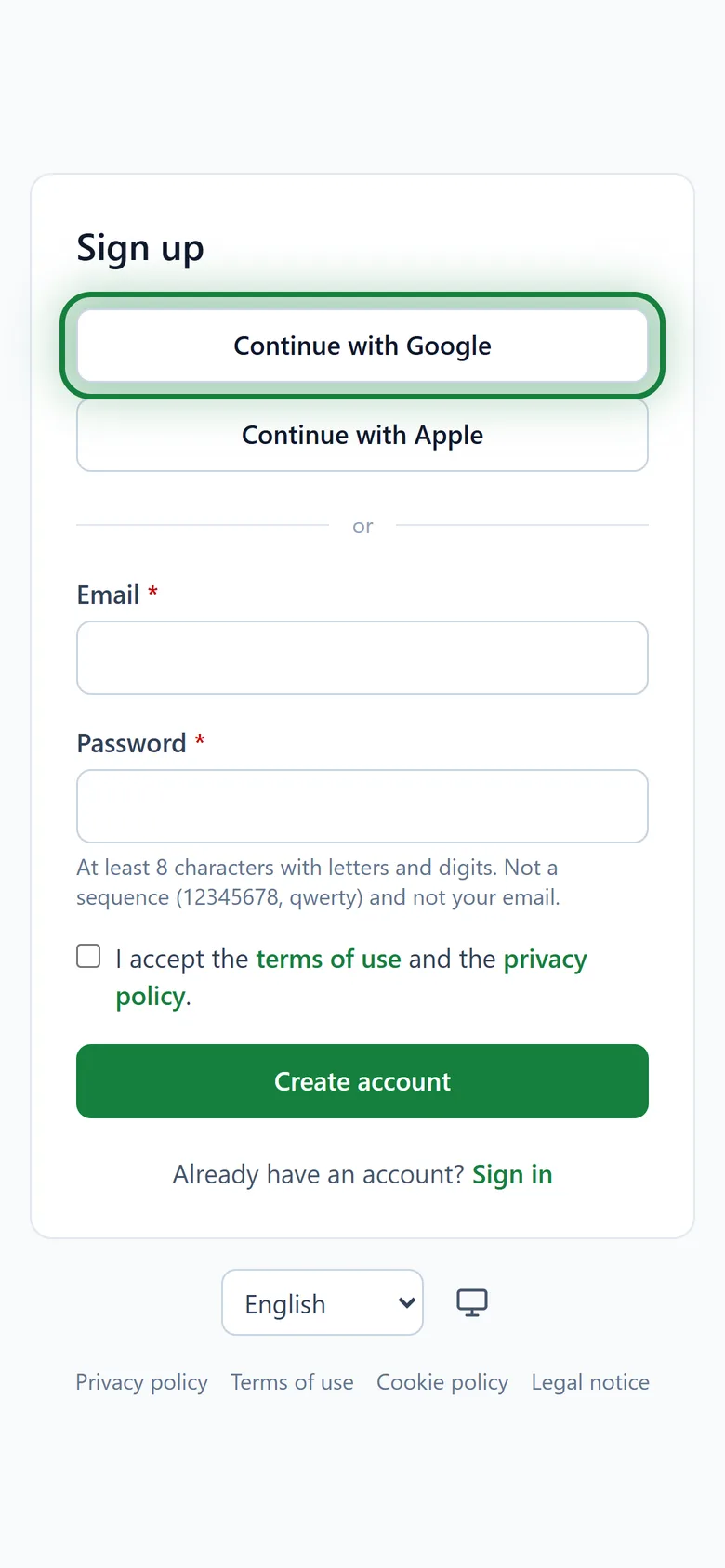
app.sportcrm.app/family-invite/…Open the link. If you don't have an account yet, click Sign up and pick the easiest way:
- Continue with Google or Continue with Apple is the quickest;
- or an email and password. Then confirm your email from the message we send and open the invitation link again.
You'll see the Family portal invitation with the club's name and your child's name. Tick the box to agree to the club processing your child's data and click Accept.
Done. The My children page opens.
In the app
The Sport CRM app for Android is on Google Play. Sign in with the same account and your children are already there.
Haven't accepted the invitation yet? In the app open Menu → Accept an invitation, paste the link, tap Check and then Accept.
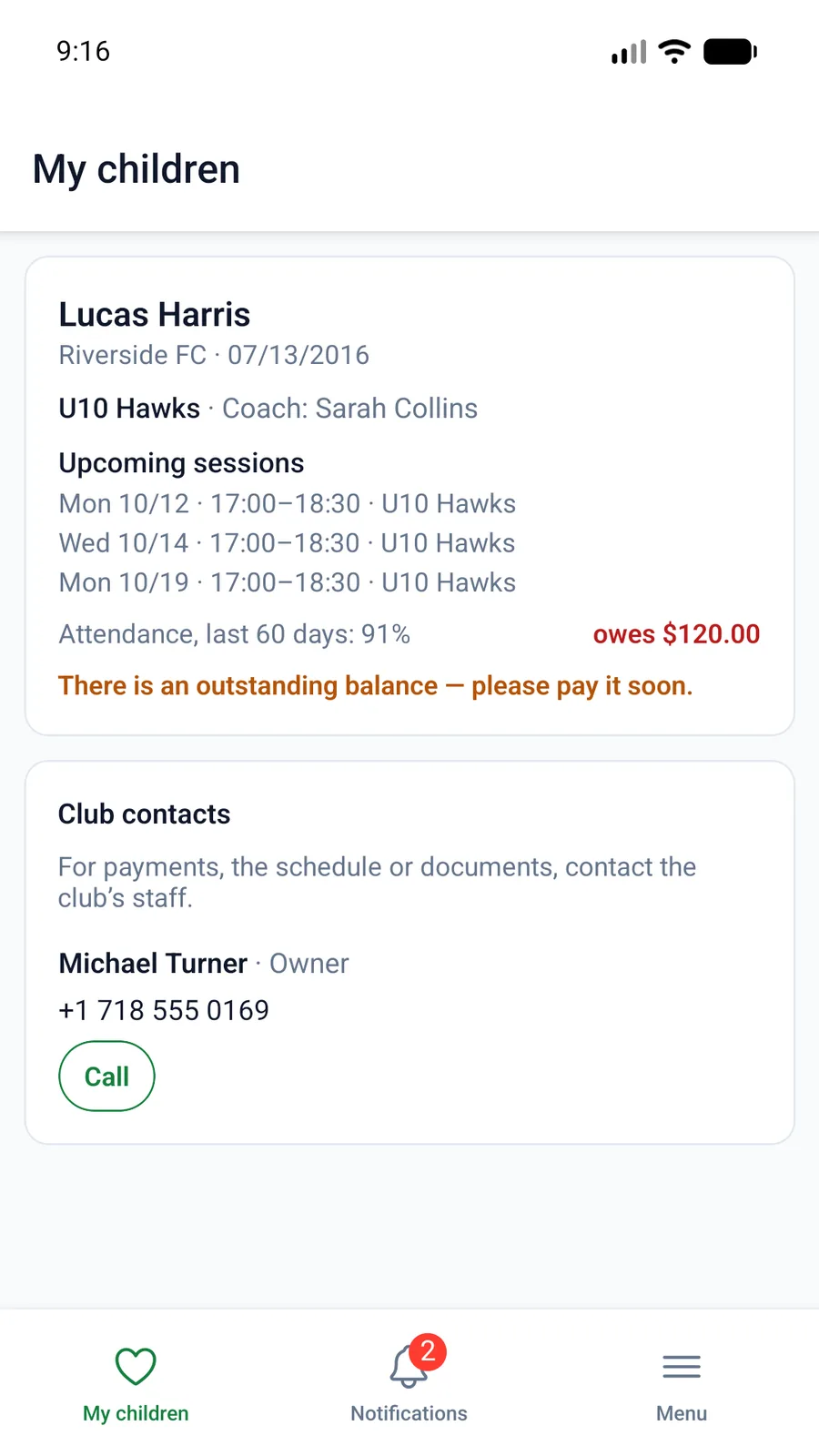
What you'll see
- upcoming sessions and the week's schedule;
- attendance for the last 60 days, and a calendar;
- the balance: anything owed, when the next payment is due, and the payment history;
- the club's announcements and contacts.
Before a session you can reply Coming or Not coming, and the coach sees it in the list.
For the club: sending the link
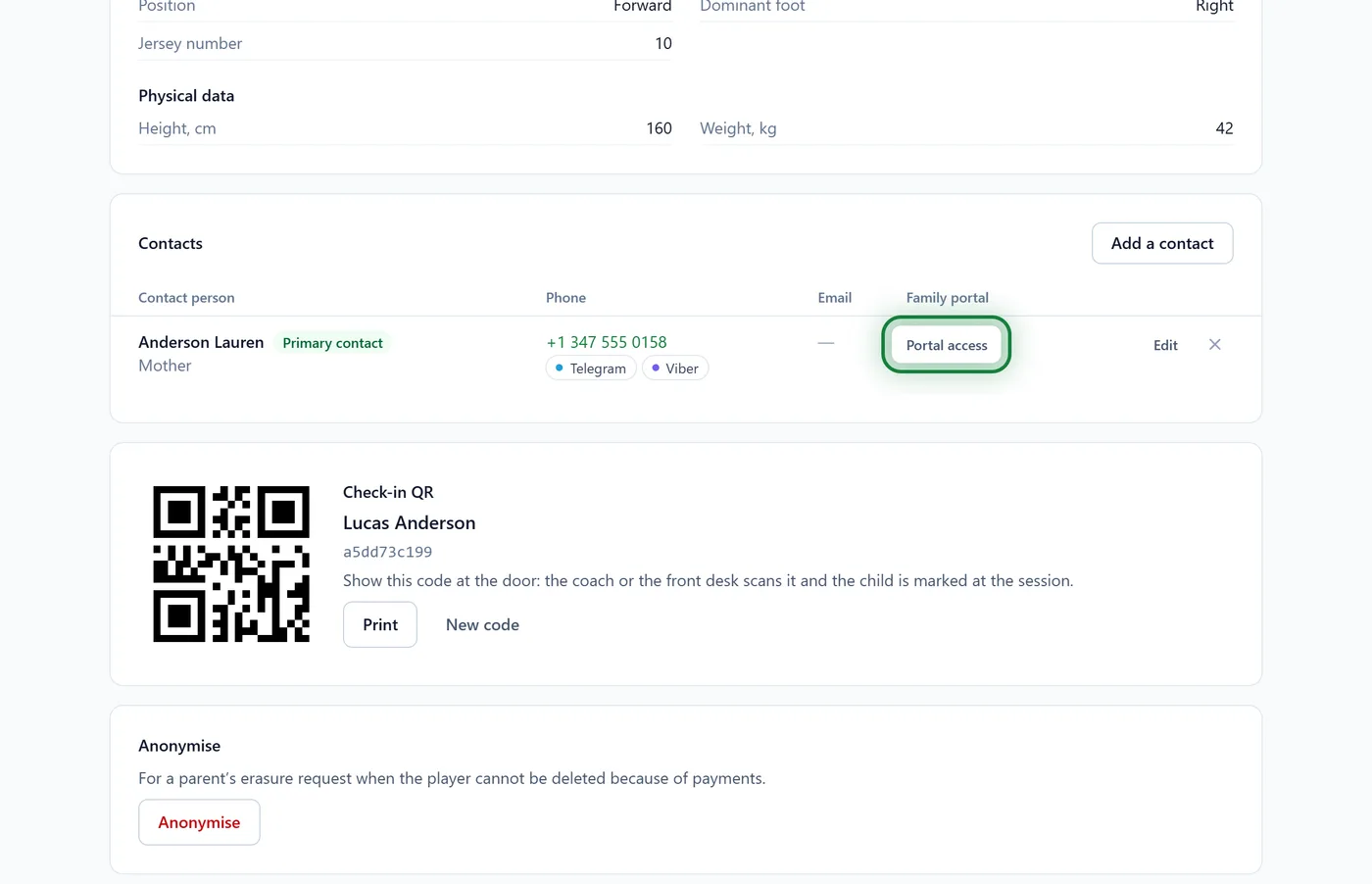
Open the player's profile and find Contacts. In the Family portal column click Portal access, then Copy link, and send it to the parent.
FAQ
The link doesn't work
A link works for 14 days and only once. Ask the club for a new one: the player's profile has a New link button.
Two children at the club: do I need two invitations?
No, not if you are a contact for both: one link opens all your children at that club. Children at another club appear once that club invites you too.
Can the other parent sign in as well?
Yes. Each contact gets their own link and signs in with their own email.
It says "This contact is already linked to another account"
Someone has already used this invitation with a different email. Sign in with that account, or ask the club to check the contact.