 Sport CRM
Teams and the schedule
Create a team or group, assign its coaches, set the regular sessions and locations, and the schedule fills itself in.
Para: propietario, gestor
A team (or group) brings players, coaches and a timetable together. Set the regular sessions once and they appear in the schedule weeks ahead by themselves.
Who can
The owner, support and managers. Coaches see their own teams, change their rosters and add one-off sessions, but don't create teams or regular sessions.
Steps
Open Teams (some clubs call the section Groups) and click + Add.
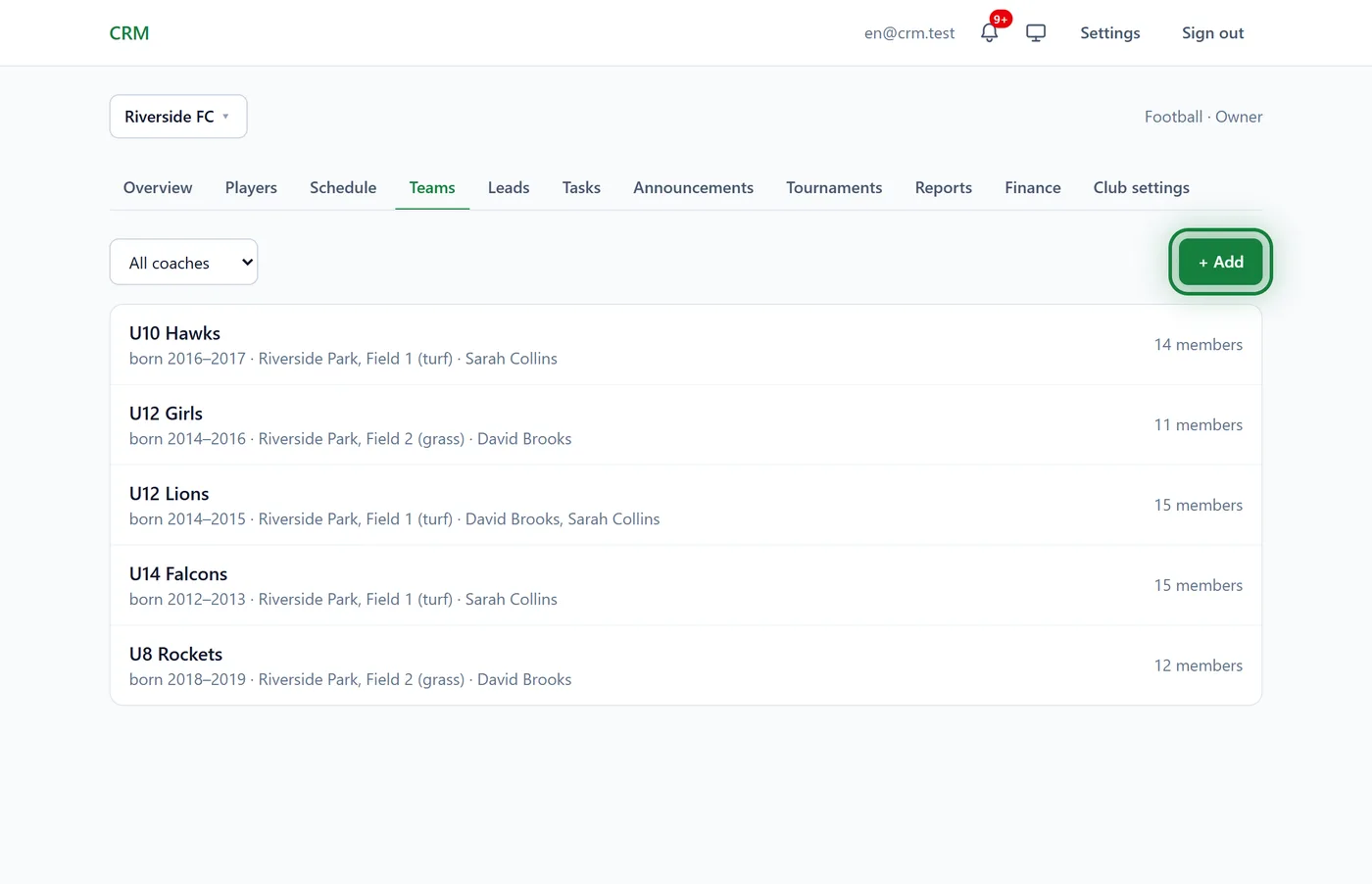
Fill in New team or group:
- Name: "U10", say, or "Adults, evening";
- Main location: where the team usually trains;
- Birth year, from and to: children of the right age are offered first when you add to the roster;
- Coaches: tick one or more.
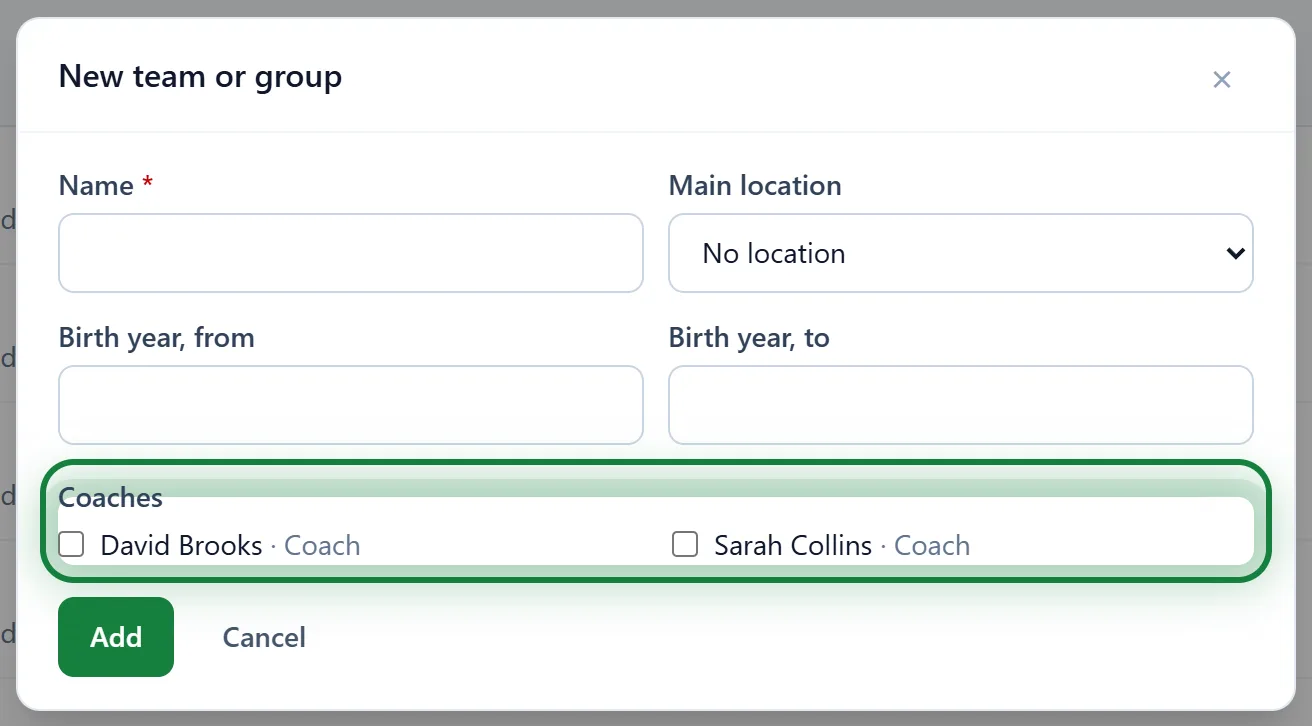
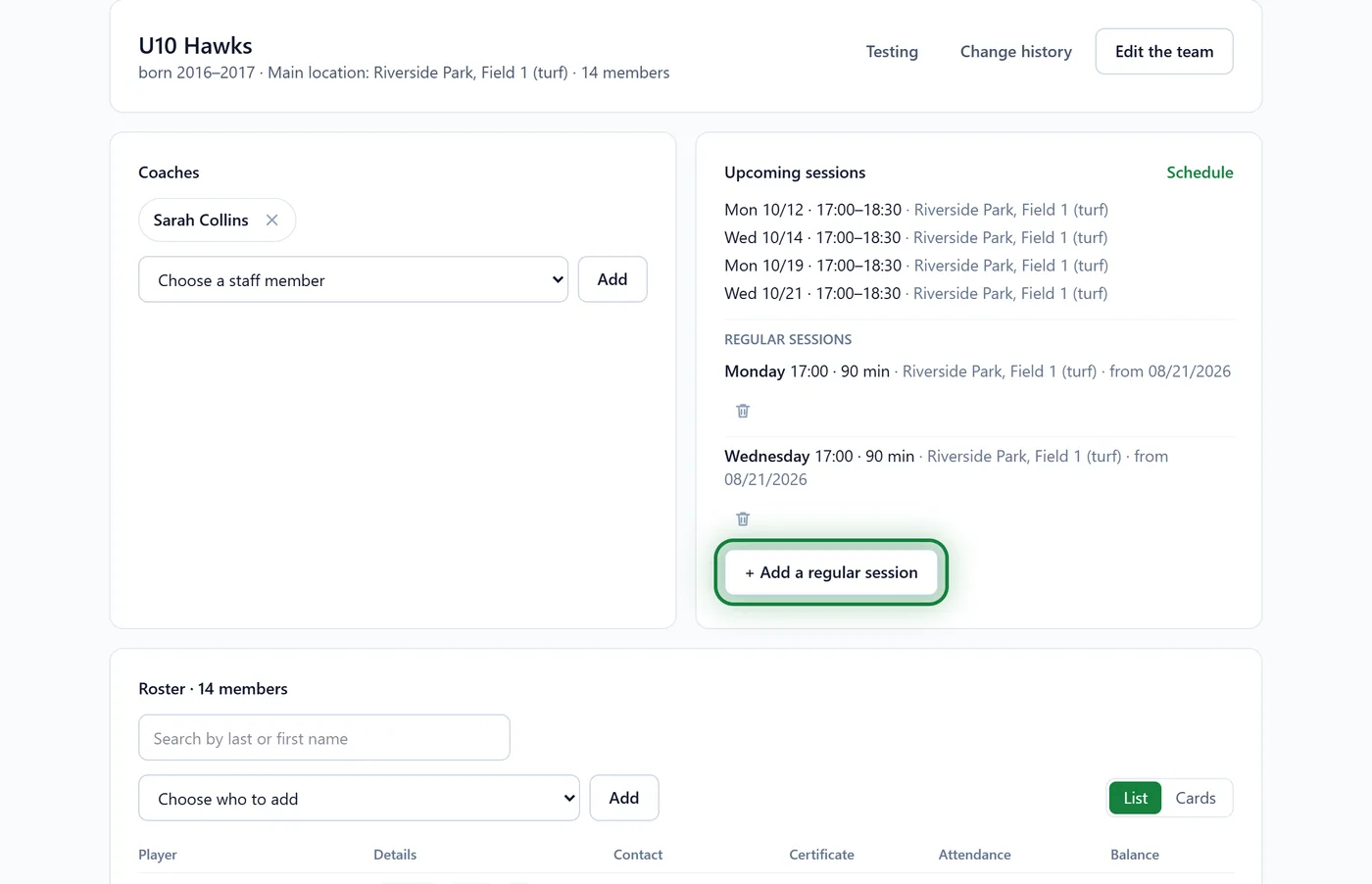
Click Add. The team's page opens.
Under Upcoming sessions, click + Add a regular session.
Pick the Day of the week, Start, Duration, min, Location and the date it Starts on. Ends on can stay empty. Click Add.
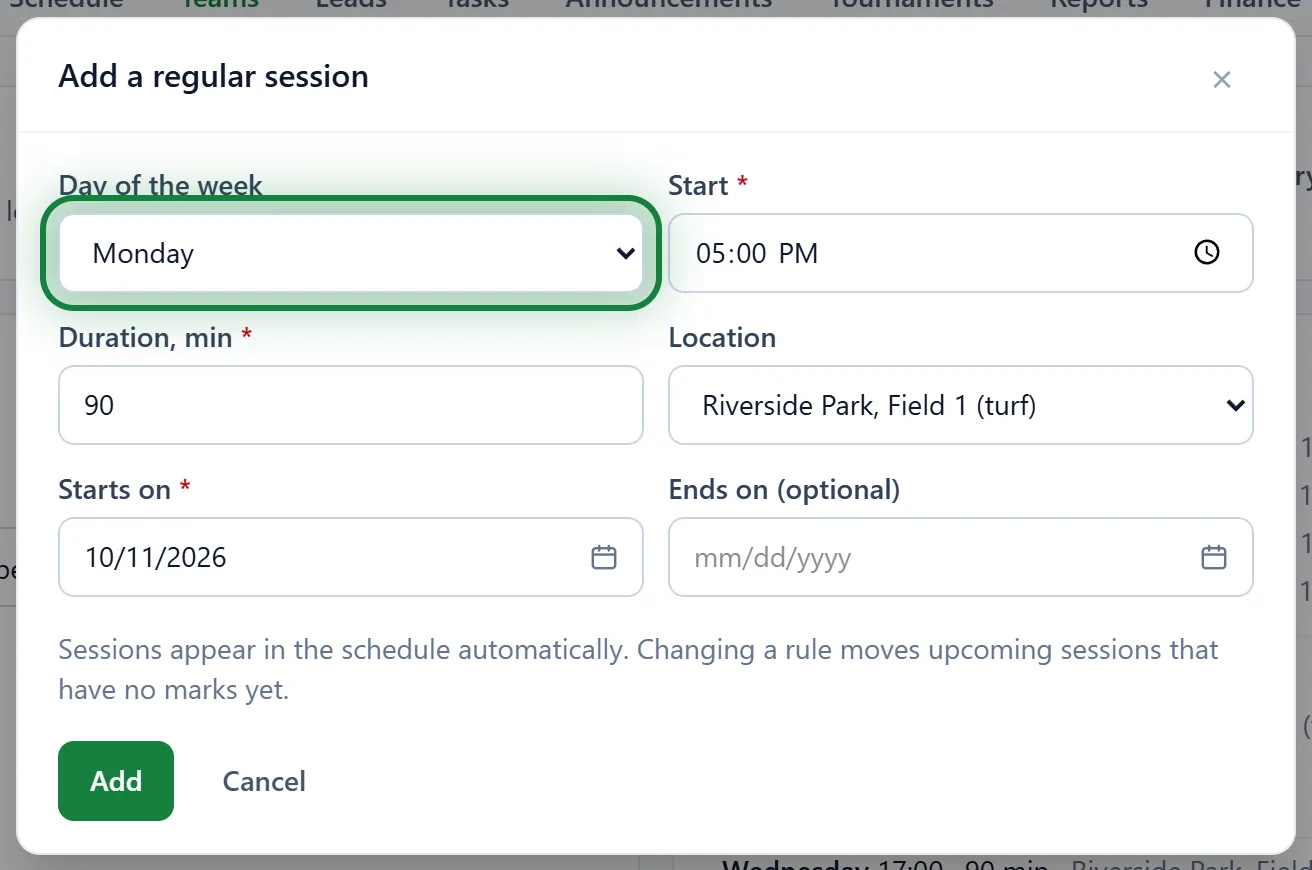
Repeat for every training day. The sessions show up in the Schedule on their own.
Lower down, under Roster, pick a player in Choose who to add and click Add.
A team's coaches
On the team's page, under Coaches: Choose a staff member → Add. The cross next to a name takes the coach off the team. To swap the coach for one session only, use the session's page: see Schedule and sessions.
Locations
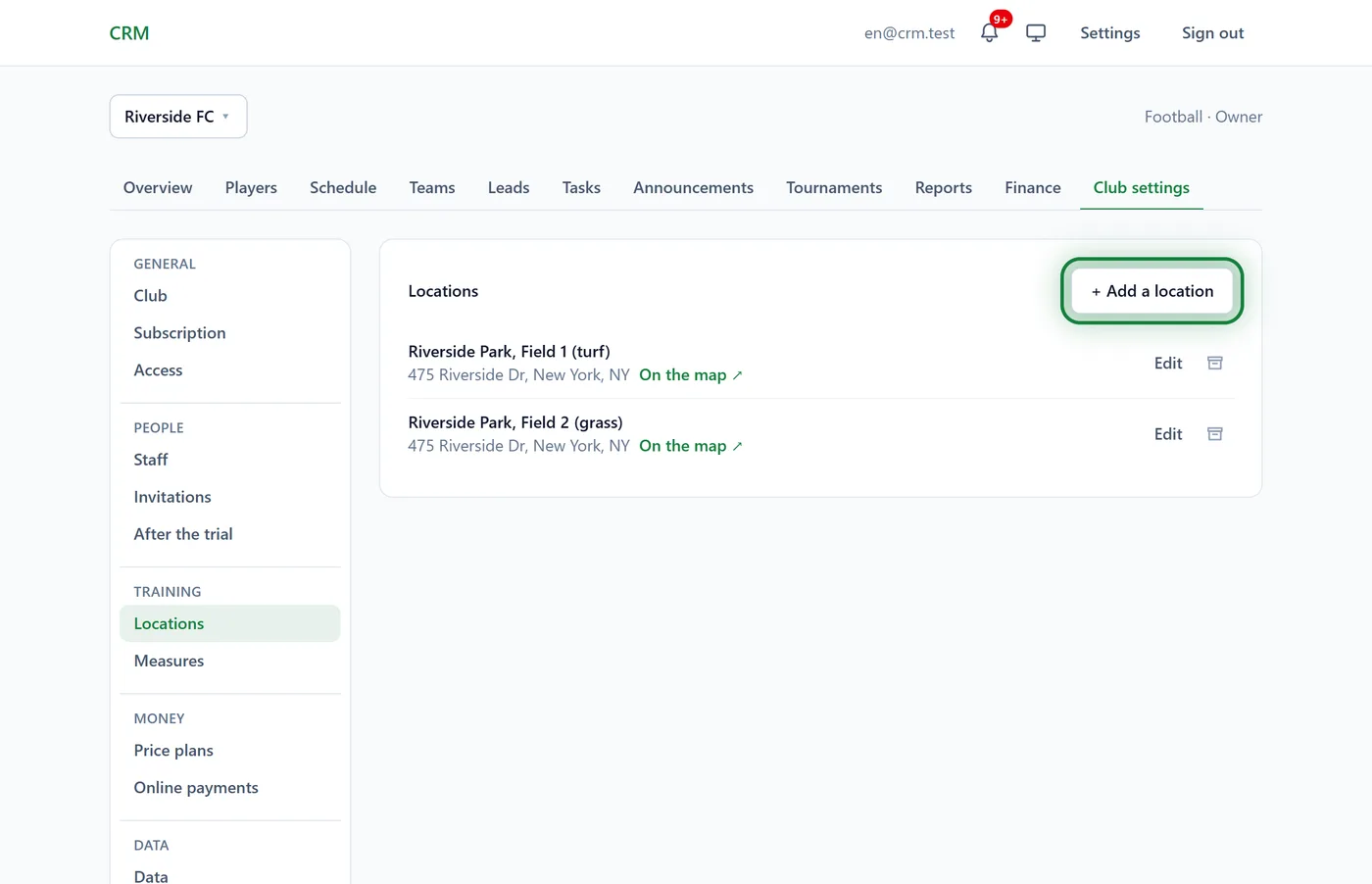
Pitches, halls and pools live in Club settings → Locations. Click + Add a location, type the Name and Address and, if you like, a Map link. Games and trips locations (an opponent's ground, a tournament venue) are only offered for competitions and events.
Tips
- Training times changed? Delete the old regular session and add a new one. Past sessions and marks stay; upcoming sessions without marks go, and the new rule makes its own.
- A team has stopped training? Click Archive at the bottom of its page. Attendance and payment history stay, and the team can be restored.
- One-off sessions (a match, an extra practice) are added in Schedule → Add session.
FAQ
How many teams can I have?
Up to 3 on the free Start plan, up to 20 on Club, no limit on Academy. Archived teams don't count.
Can a player be in two teams?
Yes. Add them to both rosters: the family portal shows the sessions of both teams.
Why doesn't a coach see "Add a regular session"?
The weekly timetable is set by managers, support or the owner. A coach can add a one-off session for their own team in the schedule.