 Sport CRM
Roles and permissions
What the owner, support, managers and coaches can do, how to change a staff member's role or block their access, and the switches under Club settings → Access.
Dla kogo: właściciel, menedżer
A club has four roles, each able to do less than the one before: Owner → Support → Manager → Coach. Parents aren't staff: they see only their own children in the portal.
What each role can do
| Owner | Support | Manager | Coach | |
|---|---|---|---|---|
| Players, teams, schedule, marks | ✓ | ✓ | ✓ | their teams* |
| Leads and tasks | ✓ | ✓ | ✓ | tasks; leads if allowed |
| Record a player's payment | ✓ | ✓ | ✓ | ✓ |
| Income and expenses, the payments report, price plans, pay | ✓ | if allowed | — | own pay if allowed |
| Trends, Coaches, Locations and Risk of quitting reports | ✓ | ✓ | ✓ | — |
| Club settings: locations, access, data | ✓ | ✓ | ✓ | — |
| Club, subscription, staff, custom fields, change log | ✓ | ✓ | — | — |
| Delete the club | ✓ | — | — | — |
* Coaches see the players of every team unless that is turned off under Access, and edit the players of their own teams and those in no team yet.
Change a role
- Club settings → Staff.
- Pick the new role next to the person and click Save.
Only roles below one's own can be given: support only by the owner, a manager by the owner or support. So managers don't change roles.
Someone left the club? Block access: they can't open the club until unblocked, and their history, teams and role stay. Or the cross, Remove the staff member: if they have history in the club (marks, payments taken), their record stays, anonymised, as "Former staff member".
To invite new people: Invite coaches and staff.
Access switches
Club settings → Access holds finer rules on top of the roles. A switch about a module shows only when the module is on.
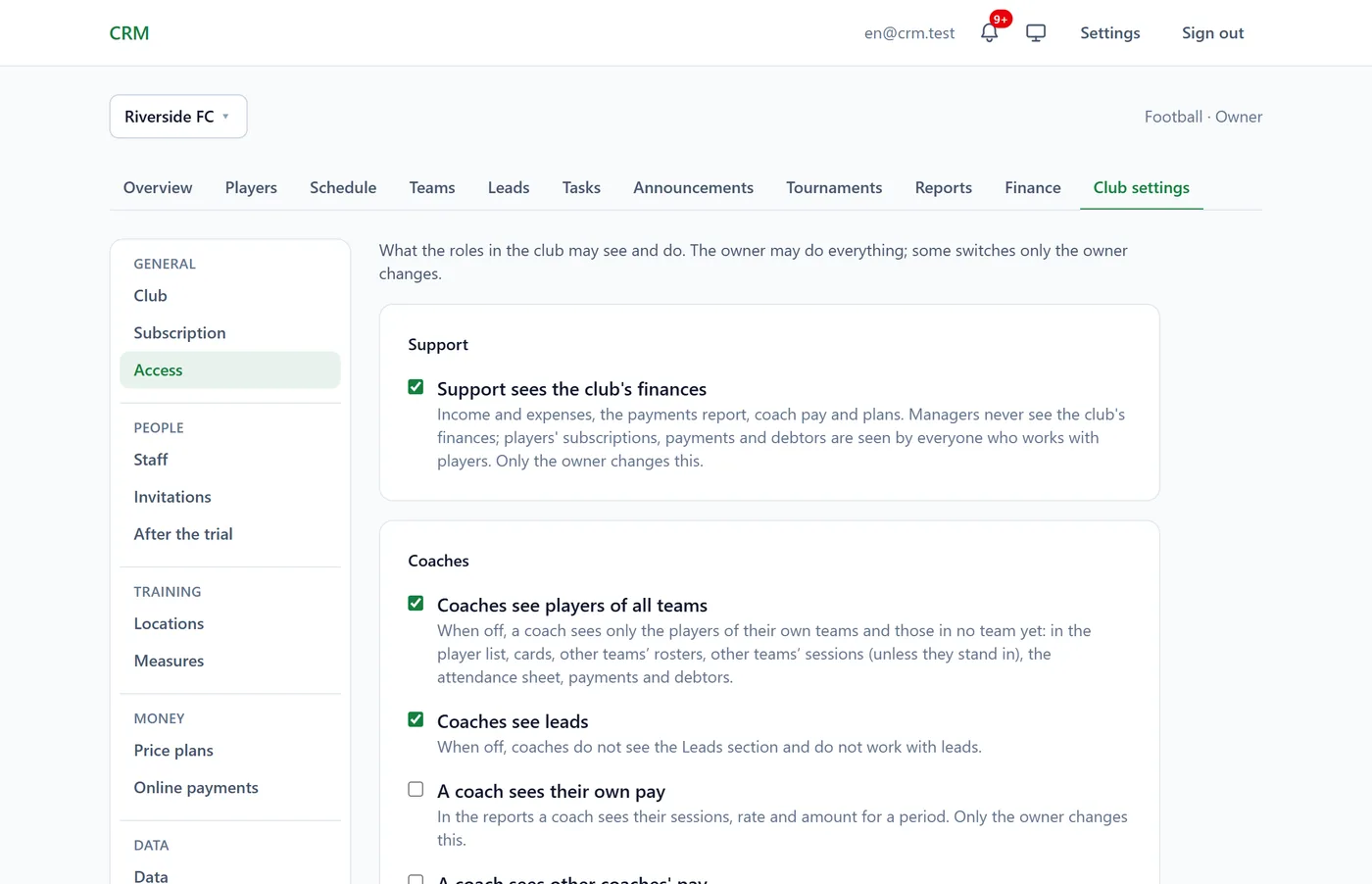
| Switch | To begin with | Who changes it |
|---|---|---|
| Support sees the club's finances | on | the owner only |
| Coaches see players of all teams | on | managers and up |
| Coaches see leads | on | managers and up |
| A coach sees their own pay | off | the owner only |
| A coach sees other coaches' pay | off | the owner only |
| Owners, managers and support can run sessions | off | managers and up |
- With Coaches see players of all teams off, a coach sees only the players of their own teams and those in no team yet: in the list, cards, rosters, the attendance sheet, payments and debtors.
- With Owners, managers and support can run sessions on, they can be made a team's coach or a stand-in.
Change the ticks and click Save.
In the app
Menu → Club settings → Access and Staff: the same switches and roles.
Tips
- Who changed what: Club settings → Change log (owner and support).
- Owners and support should turn on two-factor sign-in: they see the whole club's data.
FAQ
How do I add a second owner?
The club itself can't give the owner role: the highest the owner can give is support. If the club needs to pass to someone else, write to us.
A manager sees players' payments although the finances are closed
That's by design: players' subscriptions, payments and debtors are seen by everyone who works with players. Only the club's own finances are closed: income and expenses, the payments report, pay and price plans.