 Sport CRM
Athlete development
Height and weight, physical tests for a whole team, personal results and records, coach ratings, belts and gradings with a certificate, and what parents see of it.
Per a: entrenador, gestor, propietari
Athlete development is each player's story in numbers: height and weight, fitness tests, personal bests, the coach's ratings and, in martial arts and dance, belts. Coaches see the progress; parents get a season report.
The module comes with the Academy plan.
Who can
- Managers and up keep the list of measures and the belt ladder: Club settings → Measures and Belts.
- Values and gradings are entered by whoever may edit the player: managers for anyone, coaches for the players of their teams and those in no team yet.
1. Set up the measures
Open Club settings → Measures. Height and weight are always there. Add the rest:
- with the buttons under Add a usual one: a 30 m sprint, push-ups, sit-ups in 30 s and so on, one click each;
- or with New measure: the Group (Physical tests, Results and records or Skills), Name, Unit and Better is Higher or Lower (for a sprint, lower is better).
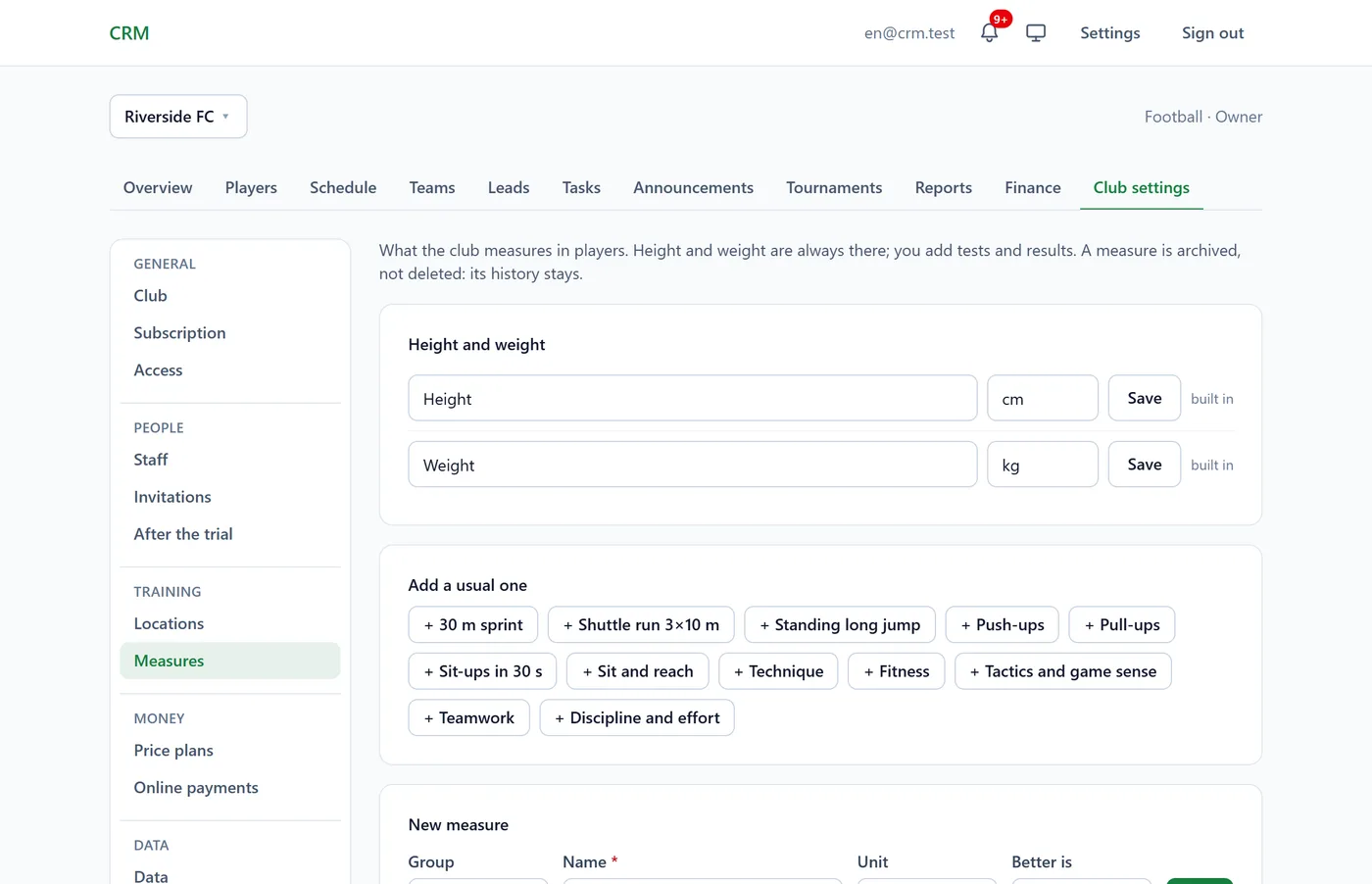
Skills are the coach's rating from 1 to 5, with no unit. A measure is archived, not deleted, so its history stays.
2. Test a whole team
- Open the team and click Testing.
- Open New test day, tick the tests under Choose the tests and click Start.
- Enter everyone's results at once and click Save. Empty cells can be filled in later.
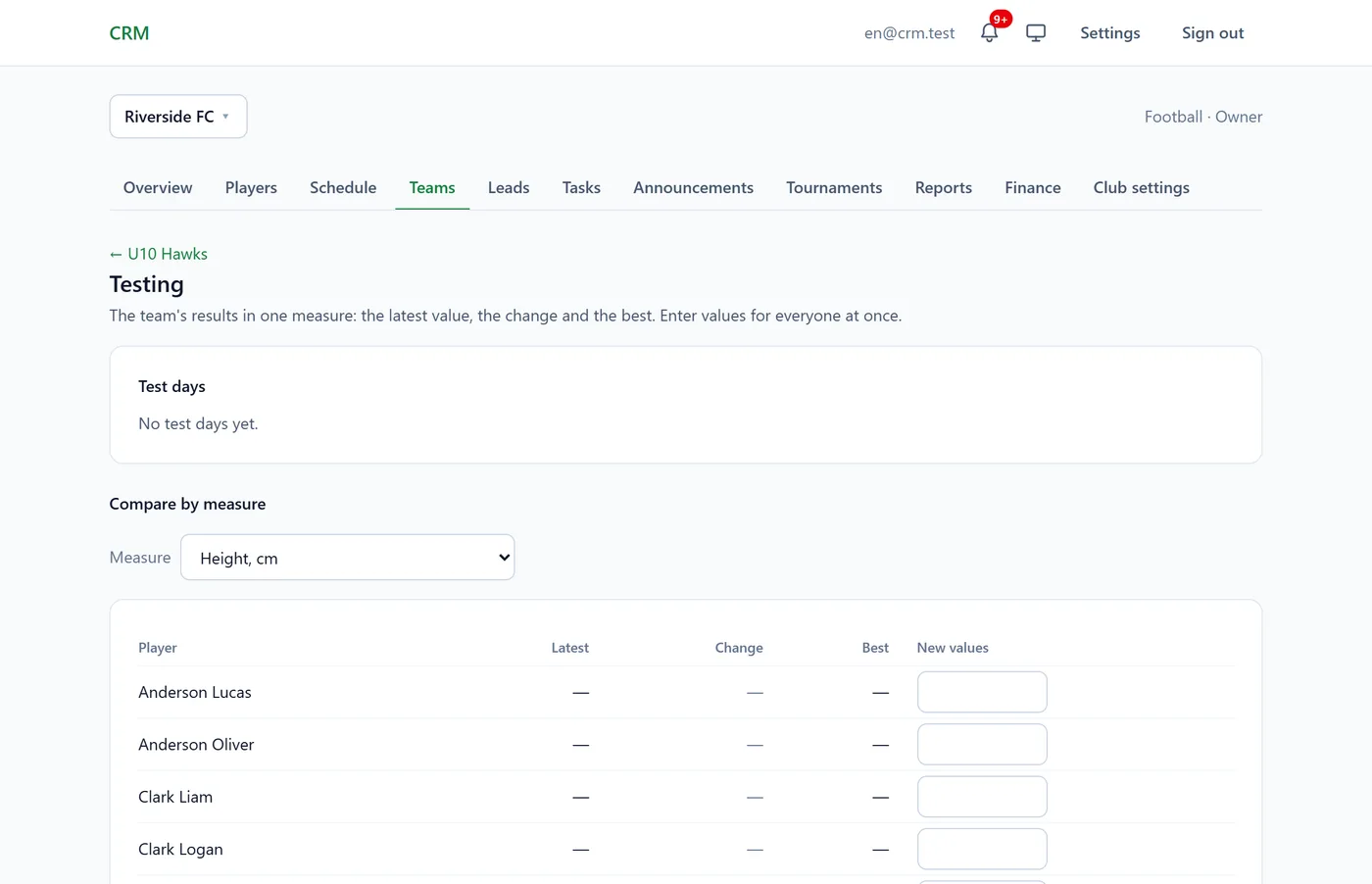
▲▼ is the change from the player's previous result (green is better); ★ is a personal best. Compare by measure, further down, shows the whole team: Latest, Change and Best.
3. One player's values
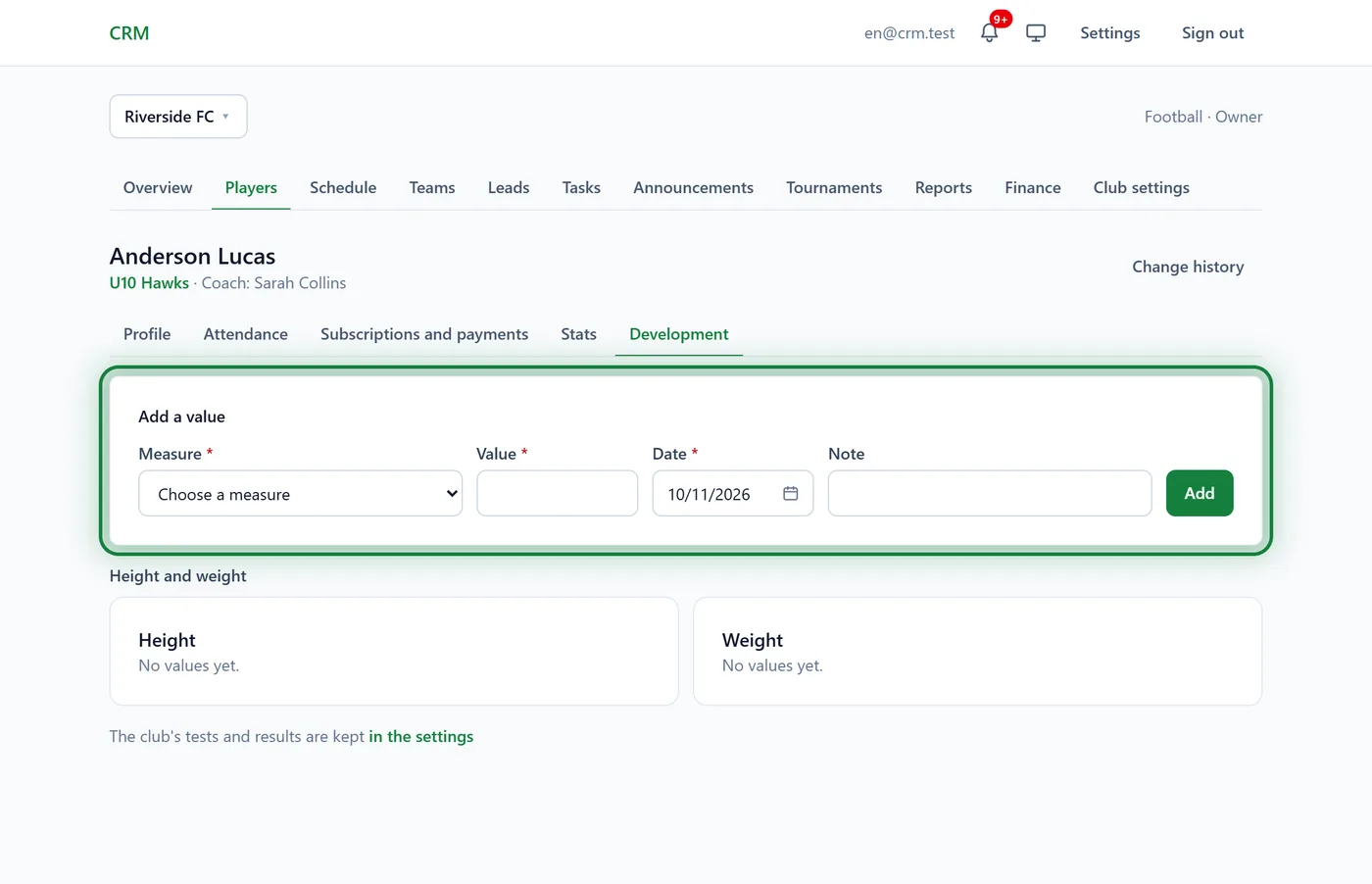
On the player's profile, the Development tab → Add a value: the Measure, Value, Date and an optional Note → Add. Below are the measures, each with its best value and history.
Belts and gradings
For martial arts and dance.
- Club settings → Belts: start from Usual ladders or add a New belt with its colour and name. Up and Down change the order.
- One player's grading: the Development tab → Record a grading: the Belt, Grading date and Examined by → Record. The current belt is the latest grading.
- A whole group: Grading on the group's page. Tick who Passed and to which belt; the next one after the current is picked by default.
- Each grading has a Certificate: open it and click Print / PDF.
With the finance module the form also has a Grading fee: it goes straight onto the player's balance as a "Grading" charge.
What parents see
In the portal, on the child's page: the Season report with attendance, the Coach's ratings (at the start of the season and the latest), Tests and results with the best value and the change, and belts. It can be saved with Save as PDF / print. Height and weight are under What the club has on file. Parents can open grading certificates too.
In the app
The development tab on the player's profile, Testing and Grading on the team's page, and Measures and Belts in the club settings are all in the app too.
FAQ
There's no Testing button on the team's page
The module isn't on (it comes with the Academy plan), or the team's roster is hidden from you.
There's no Belts item
Belts exist only in clubs whose sport is martial arts or dance. The club's sport shows under Club settings → Club.
I entered a wrong value
On the measure's card open History (…), click the bin next to the value and confirm. Then add the right one.