 Sport CRM
Invite parents
Send parents a personal link to the family portal, so they can follow their child's schedule, attendance, payments and announcements.
For: manager, coach, owner
Each of a player's contacts (mother, father, guardian) can have their own sign-in to the family portal. The club sends them a personal invitation link. It is free on every plan, with no limit on parents.
Who can
Any staff member who may change the player's profile: managers, the owner, support and the coaches of the player's team.
Steps
Make sure the player's profile has a contact with the right phone or email. If not, Add a contact (see Add players).
Under Contacts, in the Family portal column, click Portal access next to the right person.
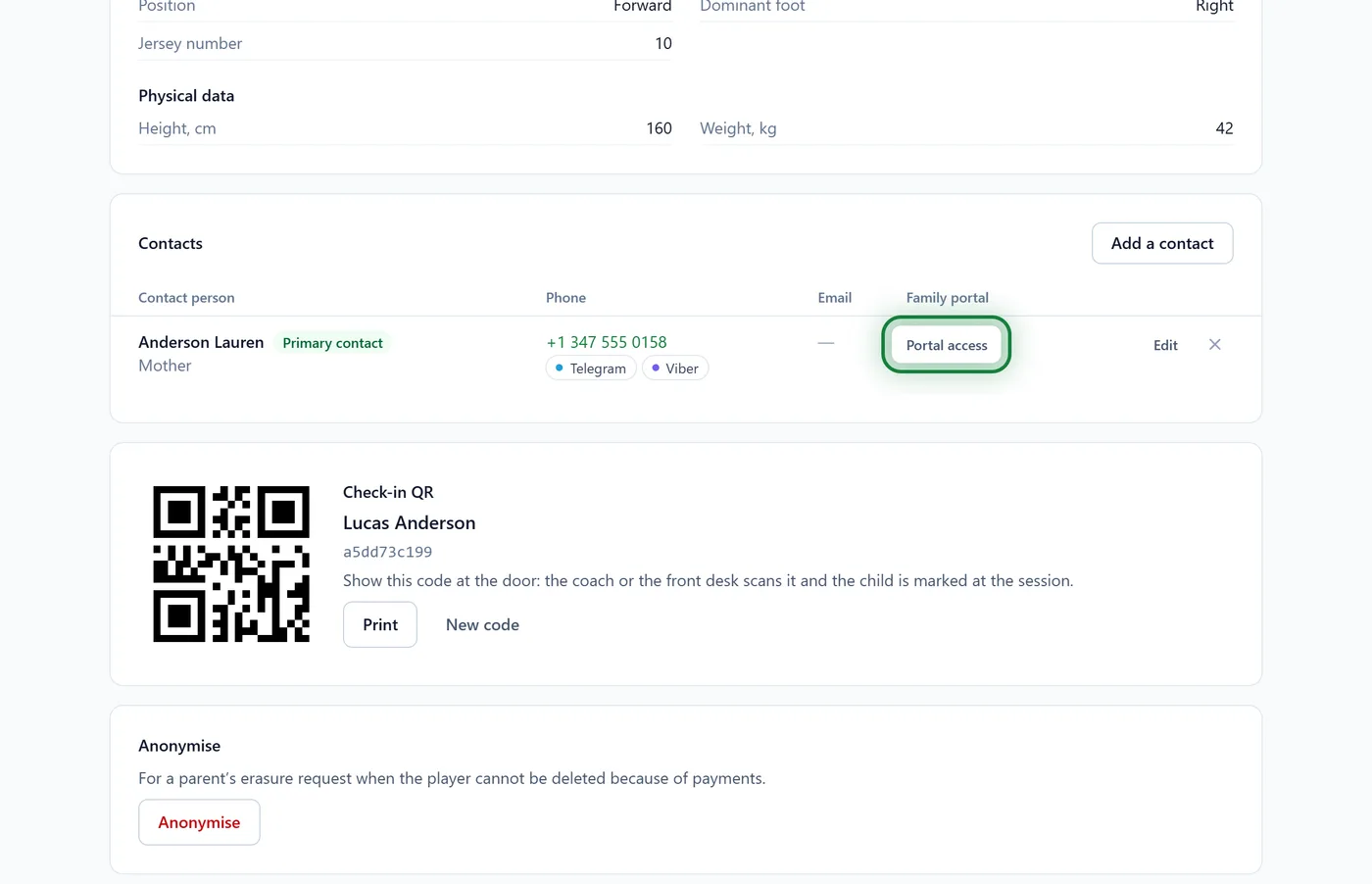
You see "Invited …" and how long the link is valid. Click Copy link.
Send the link to the parent by WhatsApp, Telegram, Viber or email. For example: "Hello! Here is the link to the club's family portal: the schedule, attendance and payments. Open it and sign up."
The parent opens the link, signs up, ticks the consent to the processing of their child's data and clicks Accept. What they see is in For parents: signing in.
On the player's profile, the button becomes has portal access, with the date and the date of consent.
In the app
The player's profile → Contacts → Portal access → Share link: the phone offers your messengers straight away.
All of the club's links
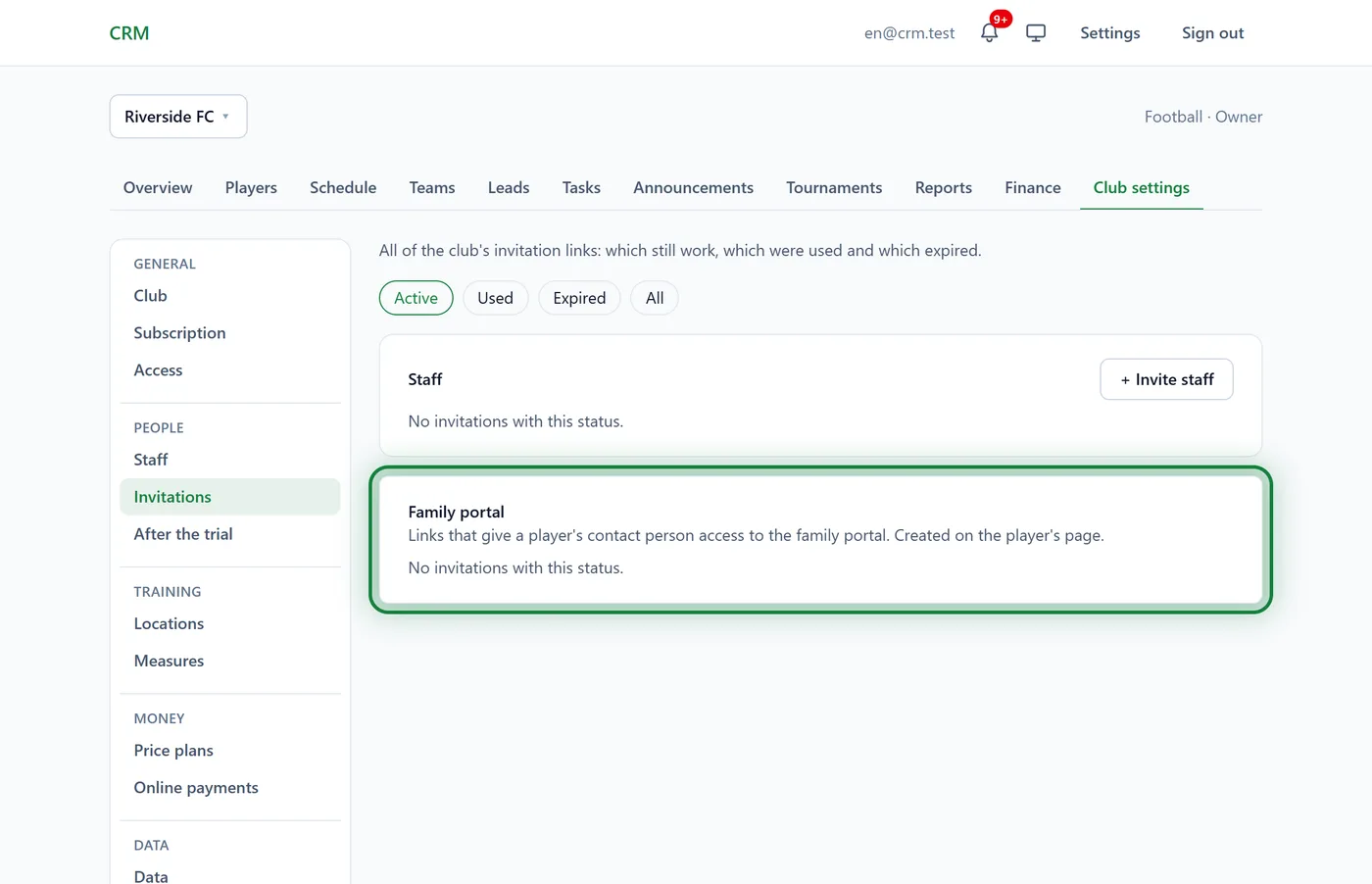
Club settings → Invitations, the Family portal block: which links still work, which were used and which expired. You can copy them again there, or Withdraw them.
Tips
- One link opens all of that person's children at the club, if they are a contact of each.
- The second parent gets a link of their own: each has their own sign-in.
- An adult player? Add Player is their own contact and send the link to them: they get their own account.
FAQ
What will parents see?
The schedule and upcoming sessions, attendance, the balance and subscriptions, announcements and the coaches' contacts. More in For parents: what the portal shows.
The parent sees "This contact is already linked to another account"
Someone has already signed in for this contact with another email. Ask the parent to use that account. If it's a mistake, make a separate contact for the second person.
Do parents see notes and every field on the profile?
No. They see their child's details, documents and only those custom fields with Show to parents in the family portal on. The club's notes stay hidden.