 Sport CRM
Create a club
How to sign up and set up your club in Sport CRM. It is free and takes two minutes.
Voor: eigenaar
A club is your space in Sport CRM: players, groups, the schedule, payments and staff. Whoever creates the club is its owner.
Steps
Go to app.sportcrm.app/signup and sign up with an email and password, or use Continue with Google or Continue with Apple.
If you used an email, open the message we sent and follow the link to confirm your address. Then sign in.
After your first sign-in you land on the New club form. Fill in:
- Club name, as parents and coaches will see it;
- Sport: it sets the starting fields on the player card (you can change them later);
- Who the club is for: children or adults;
- Your name in the club, as others will see you;
- Country, Currency and Time zone are filled in for you; just check them.
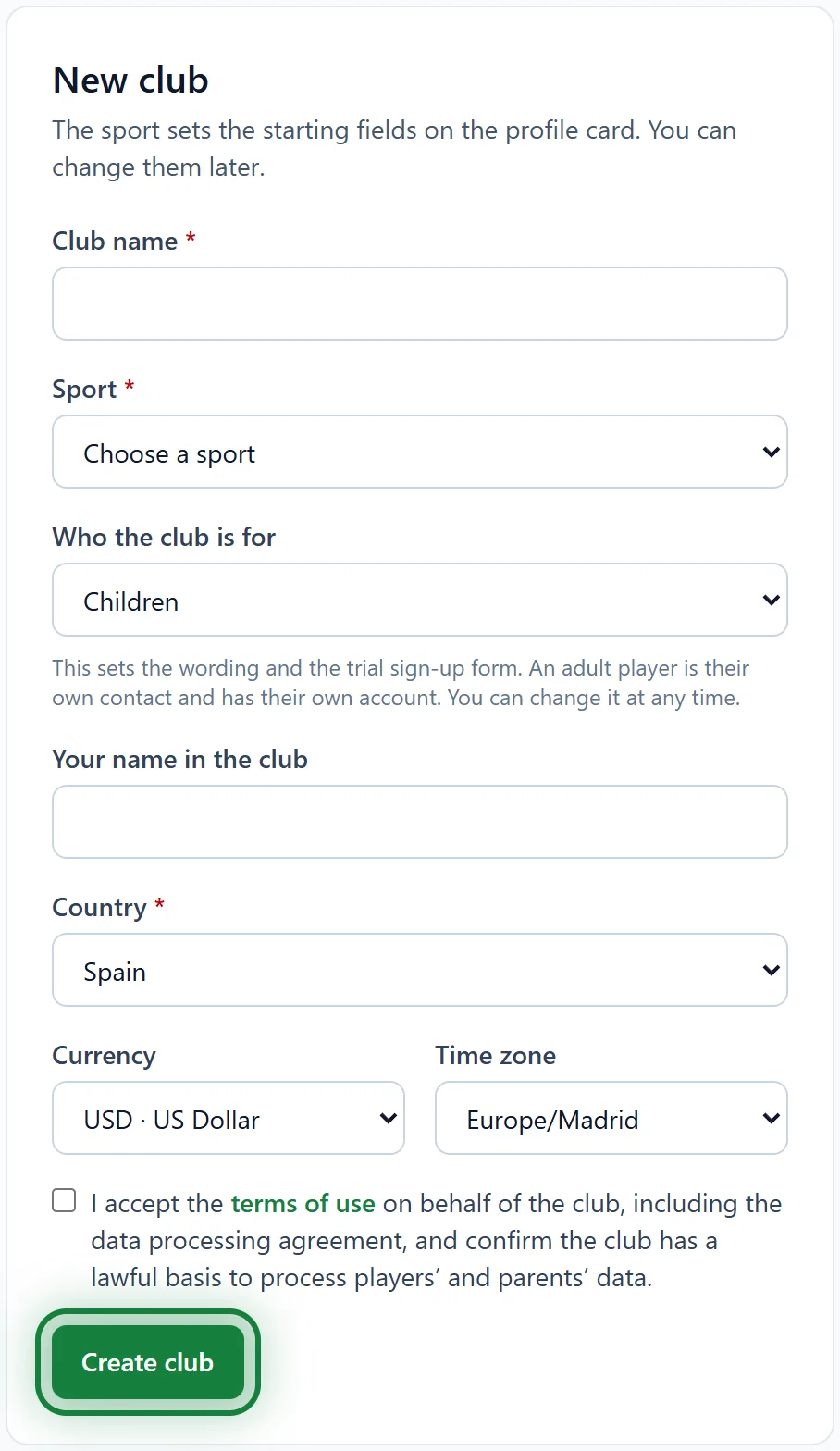
Tick the box to accept the terms of use and click Create club. That's it: you are on the club's home page.
Another club
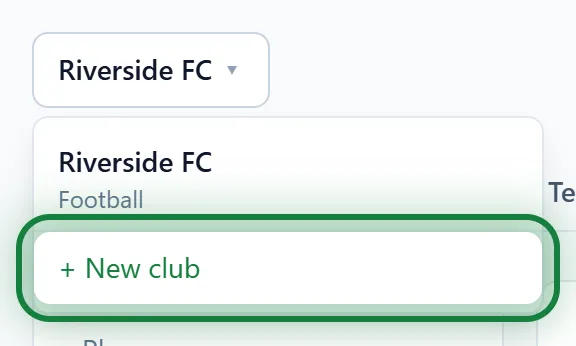
Click the club name at the top left and choose + New club. The same menu switches between your clubs.
In the app
The Sport CRM app for Android works the same way: sign in, tap Create club and fill in the same form.
Tips
- Start with your players: import the list from Excel. It is much faster than adding them one by one.
- You can change the currency and time zone later in Club settings → Club.
- Invite coaches and front-desk staff with a link, so everyone signs in with their own email.
FAQ
How many clubs can I create?
Up to three per account. If you need more, contact support.
What happens when I have more than 50 players?
New players can't be added until you move to the Club or Academy plan. Nobody already in the club is removed.
The confirmation email never arrived
Check your spam folder. If signing in says "Confirm your email using the link we sent you", click Send the email again.