 Sport CRM
Tournaments
Run your own tournament (groups, schedule, table, playoff) or take part in someone else's: a team application with players and numbers, game scores, and games in the schedule.
Voor: manager, trainer, eigenaar
Under Tournaments the club keeps both its own tournaments and other people's that its teams play in. Each team in a tournament is either one of yours (with an application: players and numbers) or another team, entered just by name.
The module comes with the Academy plan. Results of single games and player statistics belong to the Competitions module, which comes with the Club plan already.
Who can
- Managers and up create tournaments, add teams, and make the schedule and the playoff.
- Coaches see the tournaments, keep their team's application and enter the scores of its games.
Create a tournament
Open Tournaments and click + New tournament.
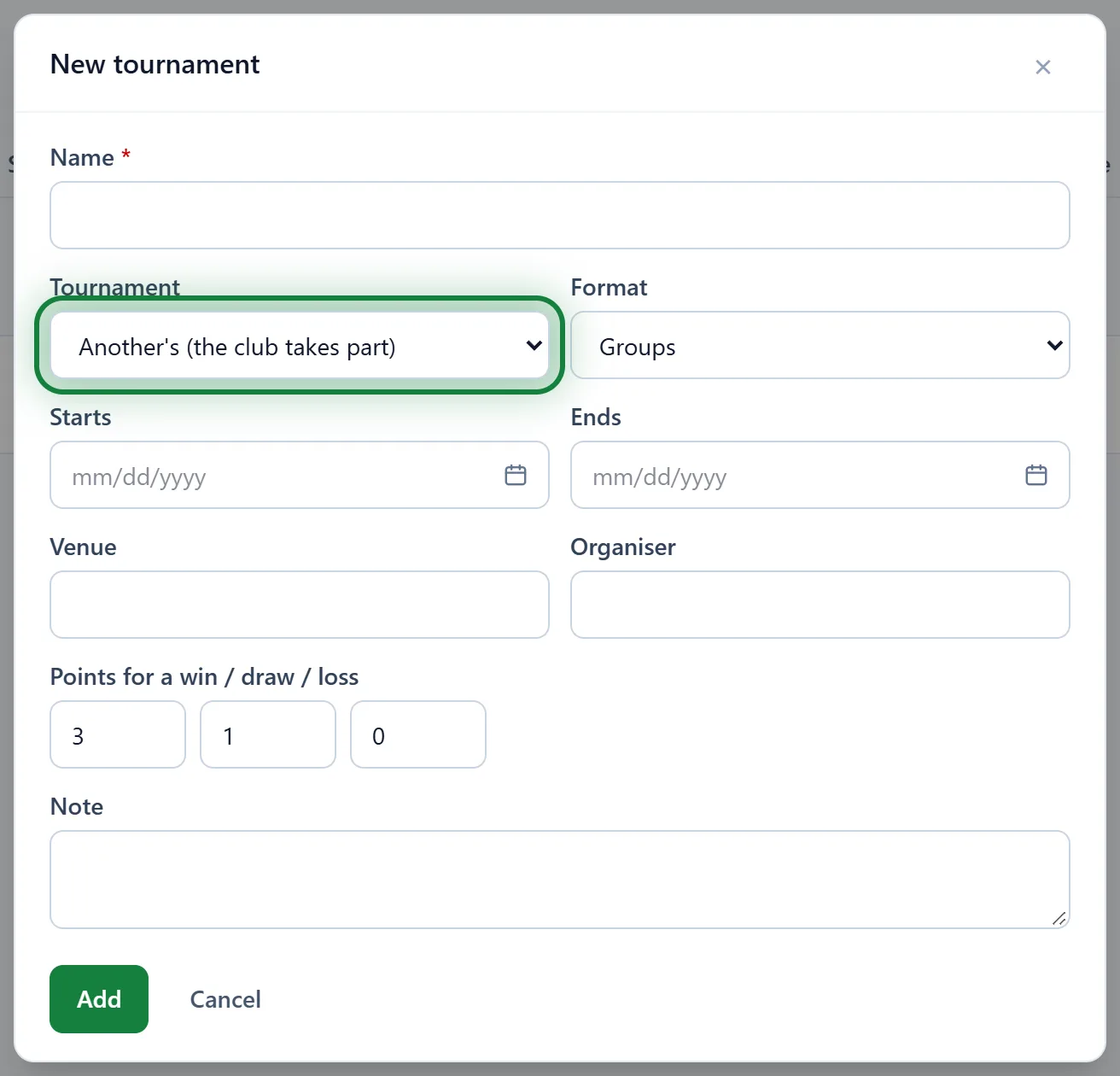
Fill in the Name and choose the Tournament:
- Own (the club runs it);
- Another's (the club takes part).
The Format: League: everyone plays everyone, Groups, Knockout or Groups, then knockout.
If you like: Starts, Ends, Venue, Organiser, and Points for a win / draw / loss (3, 1 and 0 to begin with). Click Add.
Teams and applications
- On the tournament's page, under Teams, add Our team (one of your teams) or Another team (just a name). Give a Group for group play, a Seed for the knockout.
- Your team has an Application. Open it, tick the players In the application, fill in their No. and click Save the application.
- Change the application's status: draft, submitted, confirmed or withdrawn.
- Application to Excel gives the organiser a ready list: numbers, players and dates of birth.
Schedule, scores and the table
- Make the group schedule: everyone plays everyone in their group, round by round. Group games not yet played are replaced; played ones stay.
- Make the playoff: set how many Go through per group. The bracket comes from the group tables (winners first) or, with no groups, from the seeds.
- A single game: Add a game with Home, Away, Date and Time.
- Enter the Score and click Save. The Table works itself out: P, W, D, L, G, Pts.
In the app
Menu → Tournaments: tournaments, games, scores and team applications.
Tips
- Enter other people's tournaments too: the application, the games in the schedule and the table are all at hand.
- Archive an old tournament to keep the list short.
FAQ
A coach can't enter a score
Coaches enter scores only for their own team's games. A manager keeps the rest.
I deleted a game but the session is still in the schedule
It stays if attendance was already taken there, so the marks aren't lost. Cancel it in the schedule by hand.