 Sport CRM
Announcements
Write to the parents of a team or the whole club about schedule changes, meetings or events, and see who has read it.
Per a: entrenador, gestor, propietari
An announcement is a message from the club to parents. They get a notification (a push on their phone too, in the app), read the text in their portal, and those who connected the club's messenger get it there as well. You can see who has read it and who hasn't.
Who can
A coach writes to the parents of their own teams. Managers, support and the owner write to any team or to the whole club. An announcement can be removed by whoever wrote it, or by a manager and up.
Steps
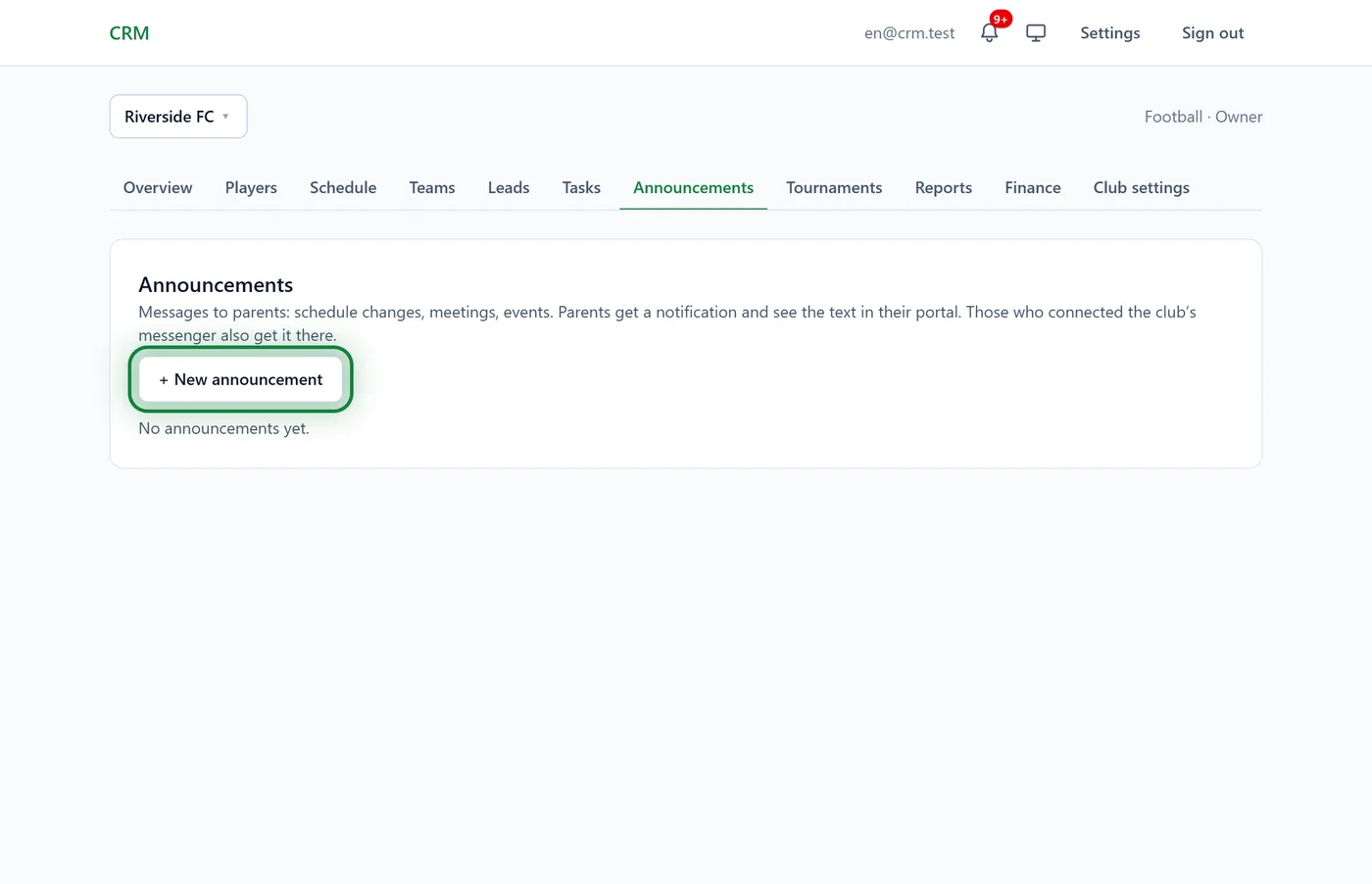
Open Announcements in the club menu and click + New announcement.
Under To, pick a team or Whole club.
Write a Title (it's what the notification shows) and the Text.
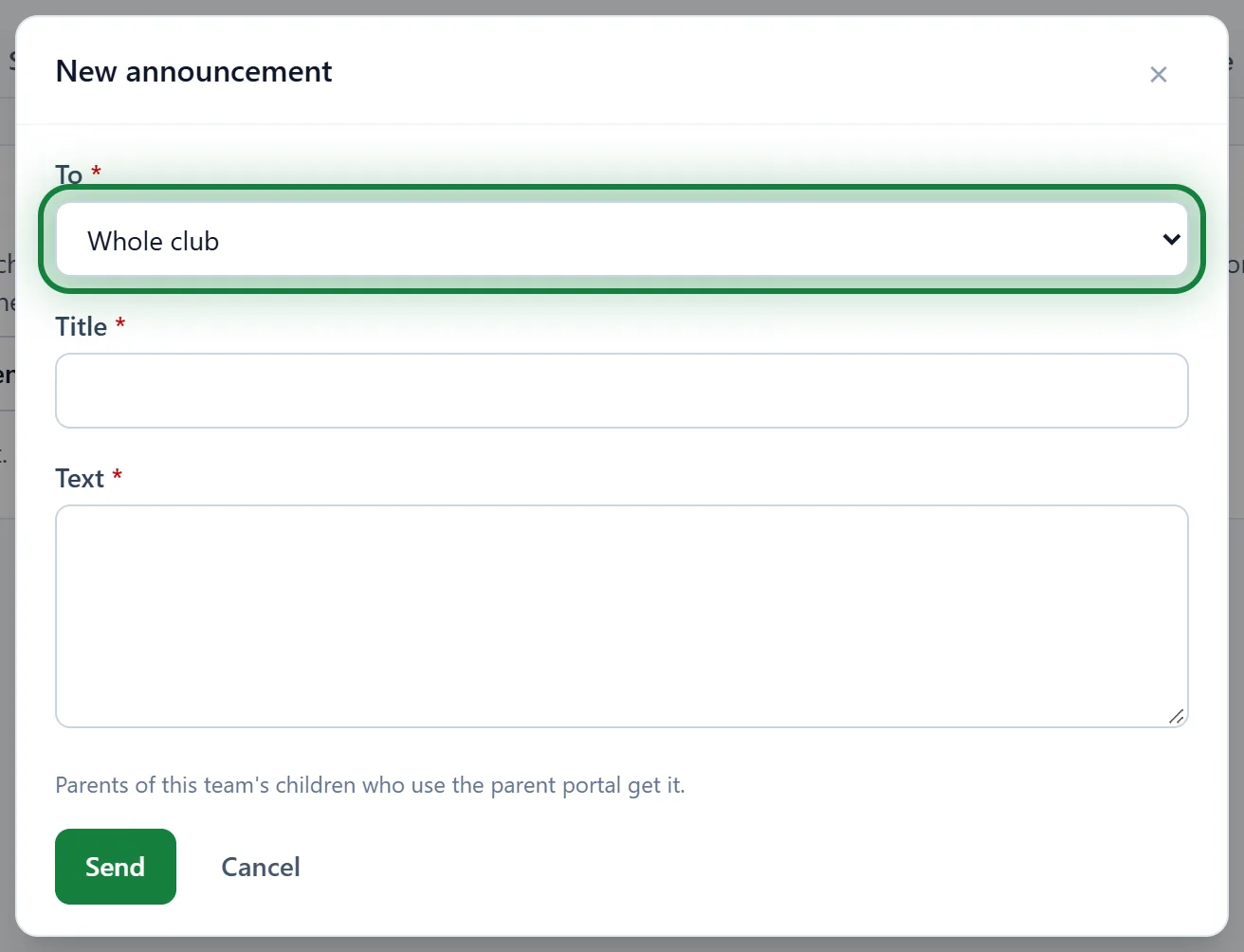
Click Send. The parents get it straight away.
For one session or tournament
A session's page in the schedule has an Announcement for this session block with + New announcement. The parents of that group's players get it: "Don't forget the yellow kit!" A tournament's page has Announcement for this tournament in the same way, for the parents of the players entered. In the app, the block is on the session screen.
Who read it
Under each announcement: "Read by 5 of 12 →". Click it: at the top are those who have Not read yet, with their phone and messengers so you can call or write; below, who has Read it and when.
Tips
- Parents see an announcement on their child's page for 30 days.
- An announcement counts as read once the parent opens the child's page in the portal.
- For day-to-day details (kit, meeting time) a session announcement works best: it is tied to a date, so nobody gets confused.
FAQ
Can I edit an announcement I've sent?
No. Click Remove (parents no longer see it in the portal) and write a new one. Notifications and messenger messages that already went out stay with the parents.
A coach doesn't see "Whole club"
That is by design: coaches write to their own teams only. A manager or the owner writes to the whole club.
Do announcements go to Telegram?
Yes, if the club has turned on messenger reminders and the parents connected them. See Telegram reminders.