 Sport CRM
Telegram reminders
How a club turns on Telegram reminders for parents about sessions, debts and medical certificates, and how parents connect them in a minute.
Per a: propietari, famílies
Once a day, at an hour the club chooses, each parent gets one Telegram message with everything about their children. The club's announcements and game call-ups arrive there straight away.
What comes
- Tomorrow's sessions (or today's, as the club decides): the time, the team, the place with a map link, and who coaches.
- A debt: once a week until it's paid.
- The subscription: 5 days before it ends, when the last session is left, and when it has ended with no new one bought.
- The medical certificate and insurance: when they run out within two weeks or already have.
- Greetings on the child's birthday and at 10, 25, 50, 100… visits, if the club has turned them on.
- Announcements and game call-ups: as soon as the club sends them.
Who can
The owner and support choose the messenger and the time. Each parent connects reminders themselves, in their own settings. Messenger reminders come with the Club and Academy plans and work together with the family portal.
For the club: turn them on
Open Club settings → Club.
Set Messenger for reminders to Telegram.
Reminder time is in the club's time zone. For tomorrow's sessions an evening hour works well, 18:00 for example.
Remind of sessions: The day before, On the day, or The day before and on the day. "On the day" only covers sessions still ahead at that hour, so a morning hour suits it.
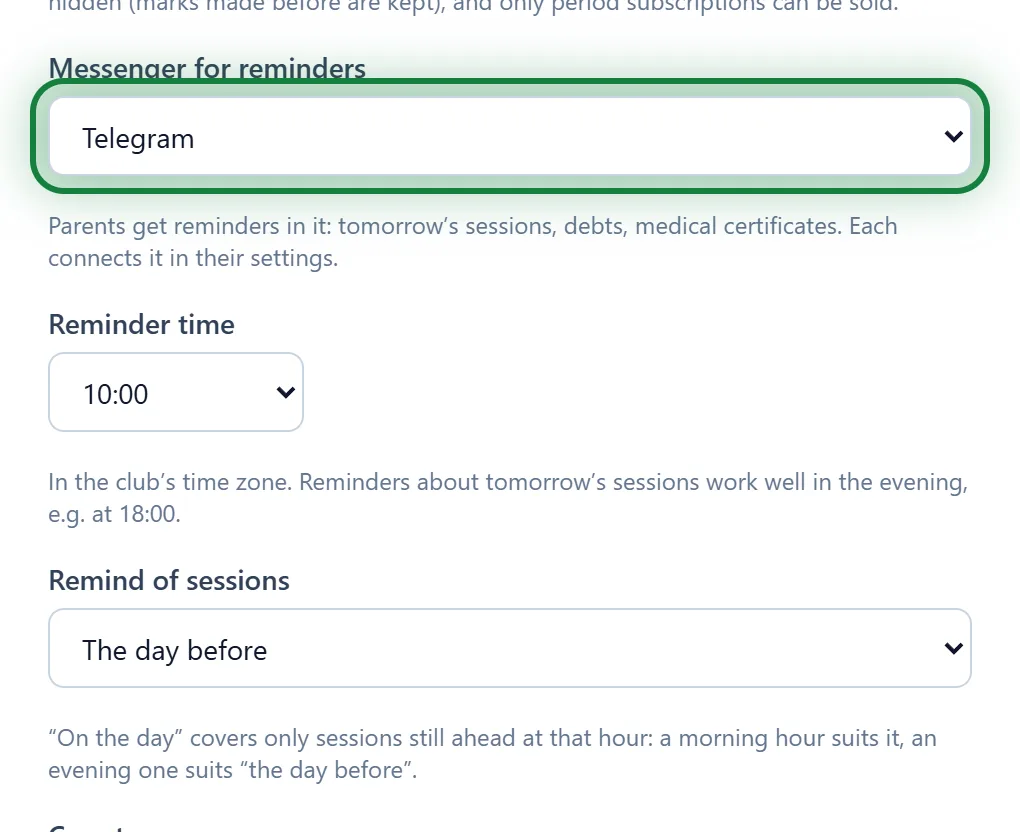
Click Save at the bottom of the page.
Ask parents to connect: you can simply send them a link to this article.
For parents: connect
Sign in to the portal and open Settings (at the top of the page; in the app, Menu → Settings).
In the Reminders in a messenger block, click Connect Telegram.
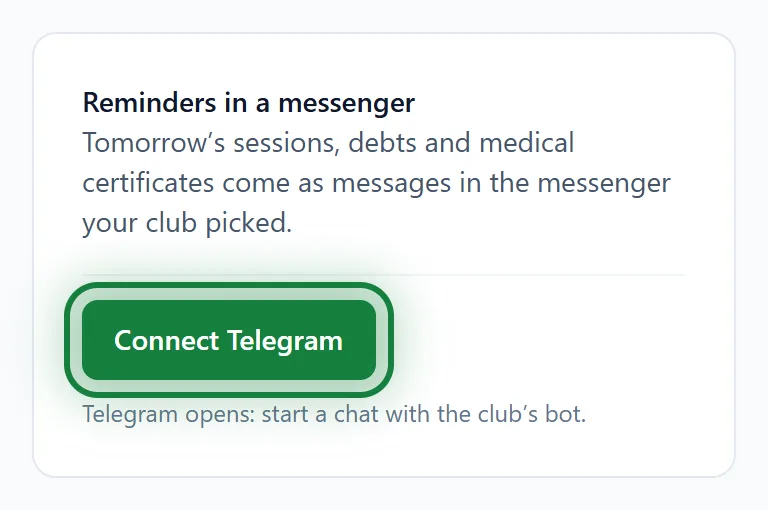
Telegram opens a chat with the club's bot. Tap Start. The bot replies "Reminders connected."
Back in your settings you'll see "✓ Connected".
To stop: Turn off in the same block, or send /stop to the bot.
Tips
- Children at several clubs? Reminders about all of them come in one message.
- The connect link works for an hour. Missed it? Click Connect Telegram again.
- Nothing is sent twice: once a reminder has gone out, it won't repeat.
FAQ
Parents don't see the "Reminders in a messenger" block
The club hasn't turned reminders on (the Start plan doesn't include them), or the parents haven't accepted their portal invitation yet: For parents: signing in.
Connected, but no reminders
They come at the club's chosen hour, and only when there is something to say: a session, a debt, a certificate. Check that the settings say "✓ Connected" and that the bot isn't blocked in Telegram.
Do coaches get reminders?
No, messenger reminders are for parents. Staff see their notifications in the bell and, in the app, as push notifications too: Push notifications in the app.