 Sport CRM
Record a payment
Put a family's payment (cash, card or bank transfer) on the player's balance in half a minute, from a computer or a phone.
Per a: gestor, entrenador, propietari
A payment is money the family has already handed over. Once you record it, the player's debt goes down at once, and the parents see it in their portal under Payment history.
Who can
Anyone on the staff: a coach at the side of the pitch, a manager, the owner. Deleting a recorded payment is for managers and up.
Steps
Open the player's profile, the Subscriptions and payments tab. The balance is at the top: "owes …", "In credit …" or "Settled".
In the Payments block, click + Record a payment.

Fill in the form:
- Amount: what was paid;
- Method: Cash, Card, Bank transfer or Online;
- Date: today by default; change it if the money came earlier;
- For subscription: what the money is for. Not linked is fine too.
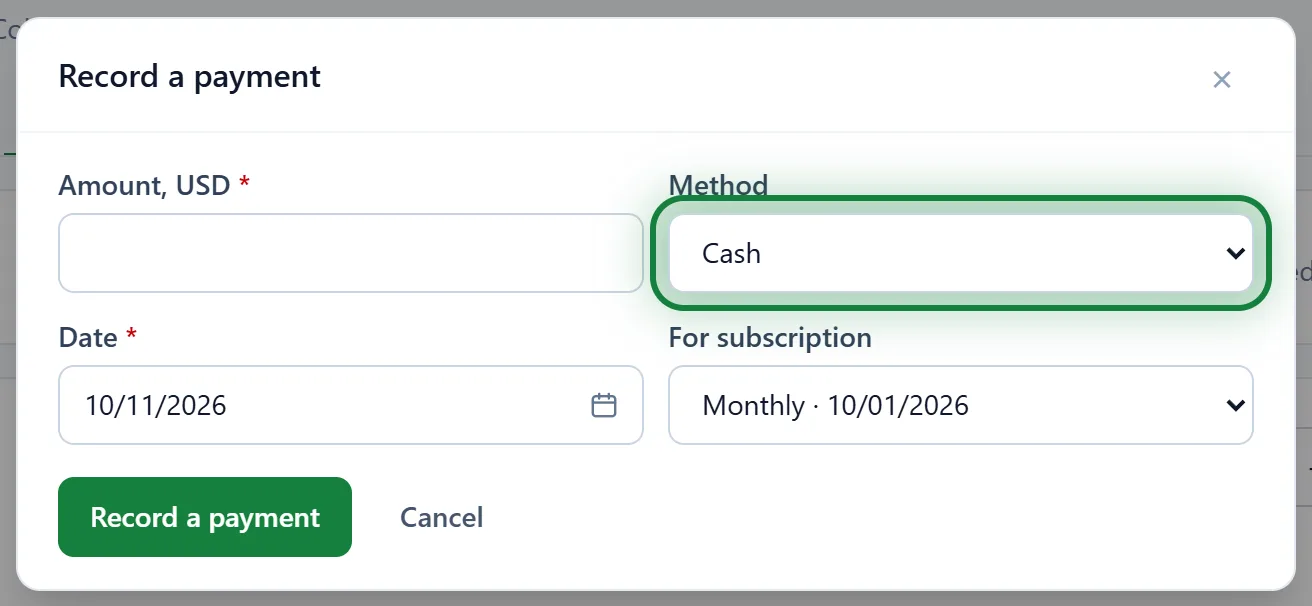
Click Record a payment. The payment shows up in the list with its date, method and who received it, and the balance at the top updates.
If your club has added custom fields for payments (a receipt number, say), they are in the form as well.
In the app
Player's profile → the Subscriptions and payments tab → Record a payment. Same fields.
All the club's payments
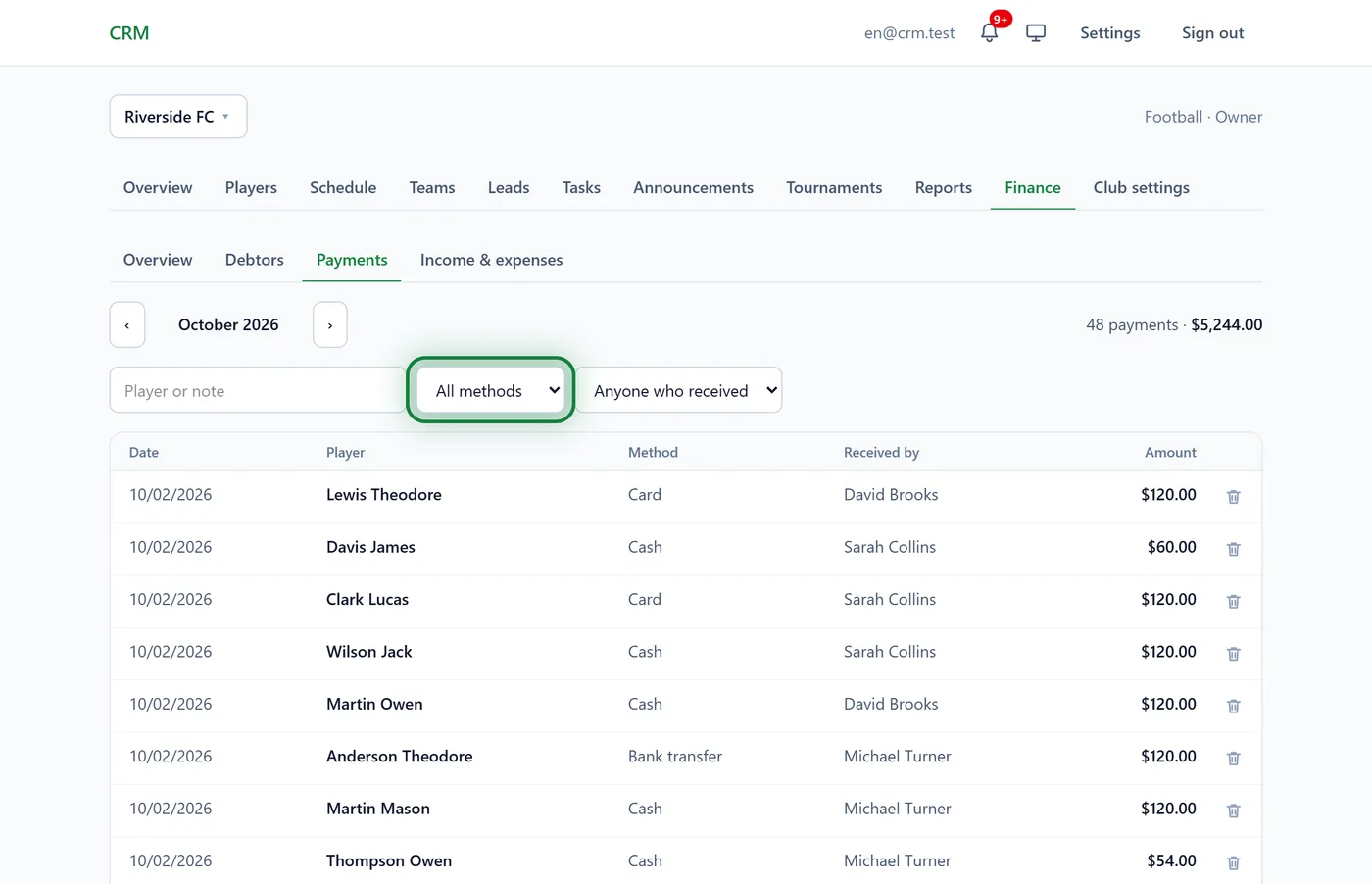
Finance → Payments lists every payment of the month. Search by player, filter by method or by who received it. The count and the total are at the top.
Tips
- Parents paid for two children at once? Use Family payment: see Discounts and family payments.
- Paid more than owed? The difference stays as credit and goes towards the next subscription.
- Card payments made in the family portal record themselves with the method "Online": see Online card payments.
FAQ
Does "For subscription" change the debt?
No. The debt is counted as a whole: everything charged minus everything paid. The link only shows what the money was for.
A coach doesn't see the Finance section
That is by design: Finance is for managers and up. A coach records payments on the player's profile, and they count in all of the club's reports.
How do I delete a payment?
A manager or the owner clicks the bin icon next to the payment and confirms. The amount counts as owed again.