 Sport CRM
Tasks
Set tasks for yourself and colleagues (call the parents, sort out the kit, book the pitch) with a due date and a reminder, so nothing is forgotten.
Für: Manager, Trainer, Inhaber
A task is a job with someone to do it and, if you like, a due date: "Call the parents about the payment", "Collect medical forms for U14". The assignee sees it in their list and is reminded on the day it's due.
Who can
Anyone on the staff sets tasks for themselves and for colleagues. A task can be changed or deleted by whoever created it. It can be marked as done by its creator or its assignee.
Steps
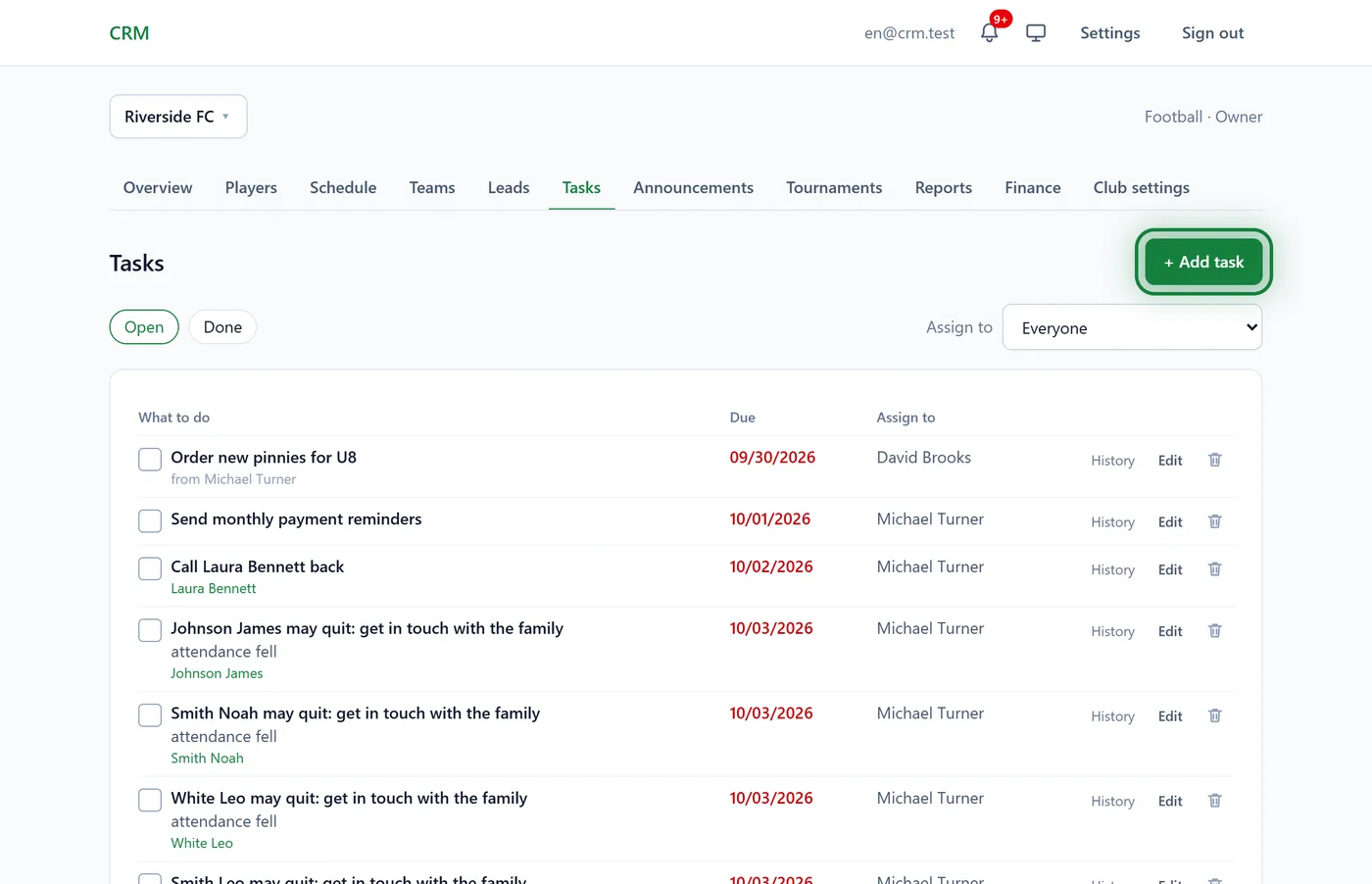
Open Tasks in the club menu and click + Add task.
Fill in:
- What to do: short, like a note to yourself;
- Due: optional;
- Assign to: you by default; pick a colleague to hand it over;
- Details: anything useful, such as a phone number, an order number or a link.
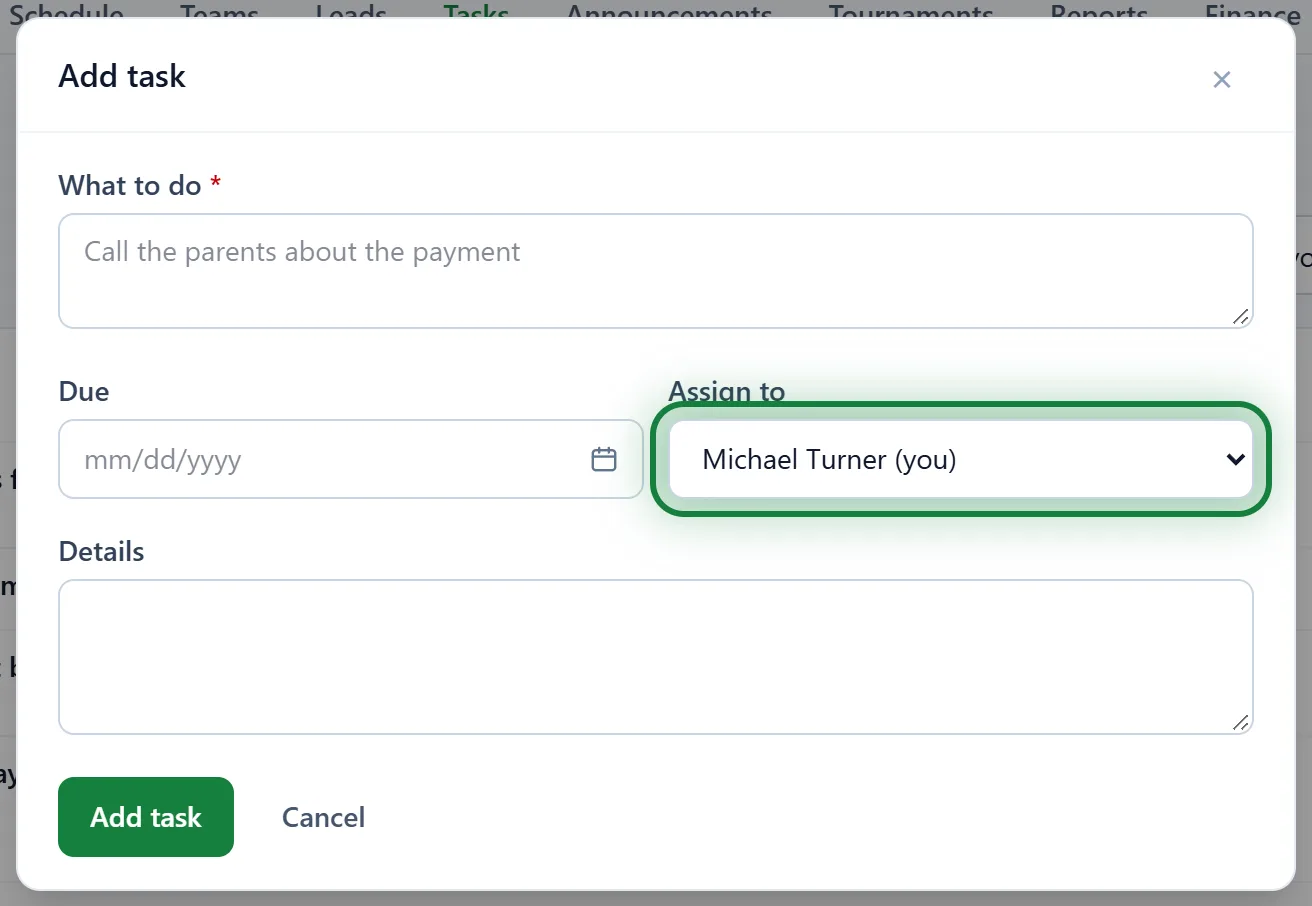
Click Add task. If it's for a colleague, they get a notification "… assigned you a task: …", and a push in the app.
Done? Tick the box next to the task (Mark as done). It moves to Done. A mistake? Open Done and untick it (Reopen).
Finding things
- Open / Done: the switch at the top.
- Assign to: Mine, Everyone, one colleague, or Unassigned.
- An overdue date is shown in red. History next to a task shows who changed it and when.
In the app
Menu → Tasks: the same list and an add button.
Tasks that appear by themselves
- After a trial. Click Stays in the club on a lead and a manager gets "Agree a subscription or payment: …".
- At risk of leaving. If a child starts missing sessions or owes money, a manager may get a daily task "… may quit: get in touch with the family" (in clubs with the churn risk module).
- On a lead. A lead's page has a Tasks block: a task like "call back on Thursday" stays linked to the lead and opens it in one tap.
FAQ
I can't edit a task
Only whoever created a task can change it. The assignee can only mark it as done. A finished task can't be edited either: reopen it first.
Does a coach see colleagues' tasks?
Yes, by choosing Everyone under Assign to. They can't change other people's tasks.
Do task reminders go to Telegram?
No: messenger reminders are for parents. Tasks are in the bell and in the app.