 Sport CRM
Language and date format
Choose your own interface language and date format, find the club's language, and switch the theme, in the browser and in the app.
Para: propietario, gestor, entrenador, familias
Everyone picks their own language and date format: a coach can work in English and a parent in Spanish, in the same club. The choice is saved to your account and applies on every device, in the browser and in the app.
Who can
Anyone: the owner, staff and parents, each for themselves.
Change the language and date format
Open Settings, the link at the top of the page next to Sign out.
In the Language and date format card choose:
- the Interface language: Українська, English, Español, Català, Polski, Deutsch or Nederlands;
- the Date format: dd/mm/yyyy, dd.mm.yyyy, mm/dd/yyyy or yyyy-mm-dd. Each shows how 31 December would look.
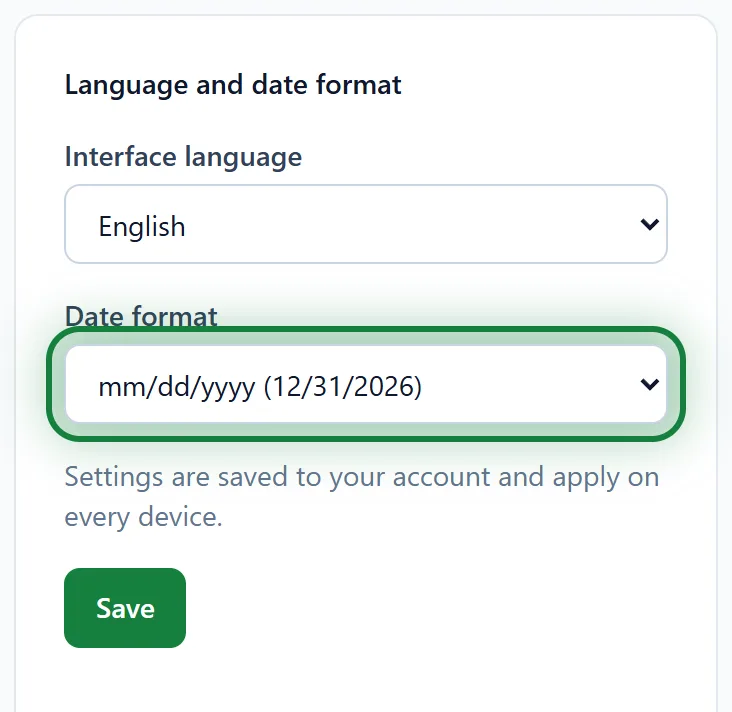
Click Save. The page switches to the new language at once.
Push notifications, messenger reminders and emails reach you in the same language and date format.
In the app
Menu → Settings, the Language and display card: Language, Date format and Theme. Language and date format are saved at once and apply on the web too.
The club's language
Apart from your own language there is the Club language: Club settings → Club (owner and support). It's the language of the sport's preset field names and of the texts the system writes in the club itself, such as the churn risk tasks. It doesn't change anyone's interface: each person picks that themselves.
Theme
In the browser, the monitor icon at the top of the page cycles the theme: system → light → dark. In the app it's Theme under Language and display. The theme is remembered on that device only.
Tips
- Not signed in yet? The sign-in page has a language switcher at the top.
- Working with a club in another country? The date format keeps 03/04 and 04/03 apart.
FAQ
I changed the language in the app, but the web is still in the old one
Reload the page in the browser: the settings are read from your account when it loads.
Why are some fields on the card in another language?
The sport's preset fields are named in the club's language when the club is created. Rename them under Club settings → Custom fields: see Custom fields.