 Sport CRM
Take attendance (even offline)
How a coach marks who came to a session with one tap, from a phone or a computer, even without a connection.
Dla kogo: trener, menedżer
Taking attendance is one tap next to each player. Parents see it in their portal; the club sees it in reports and in how many sessions are left on a pack.
Steps
Open Schedule. Past sessions nobody has marked yet are highlighted in yellow and say Not marked.
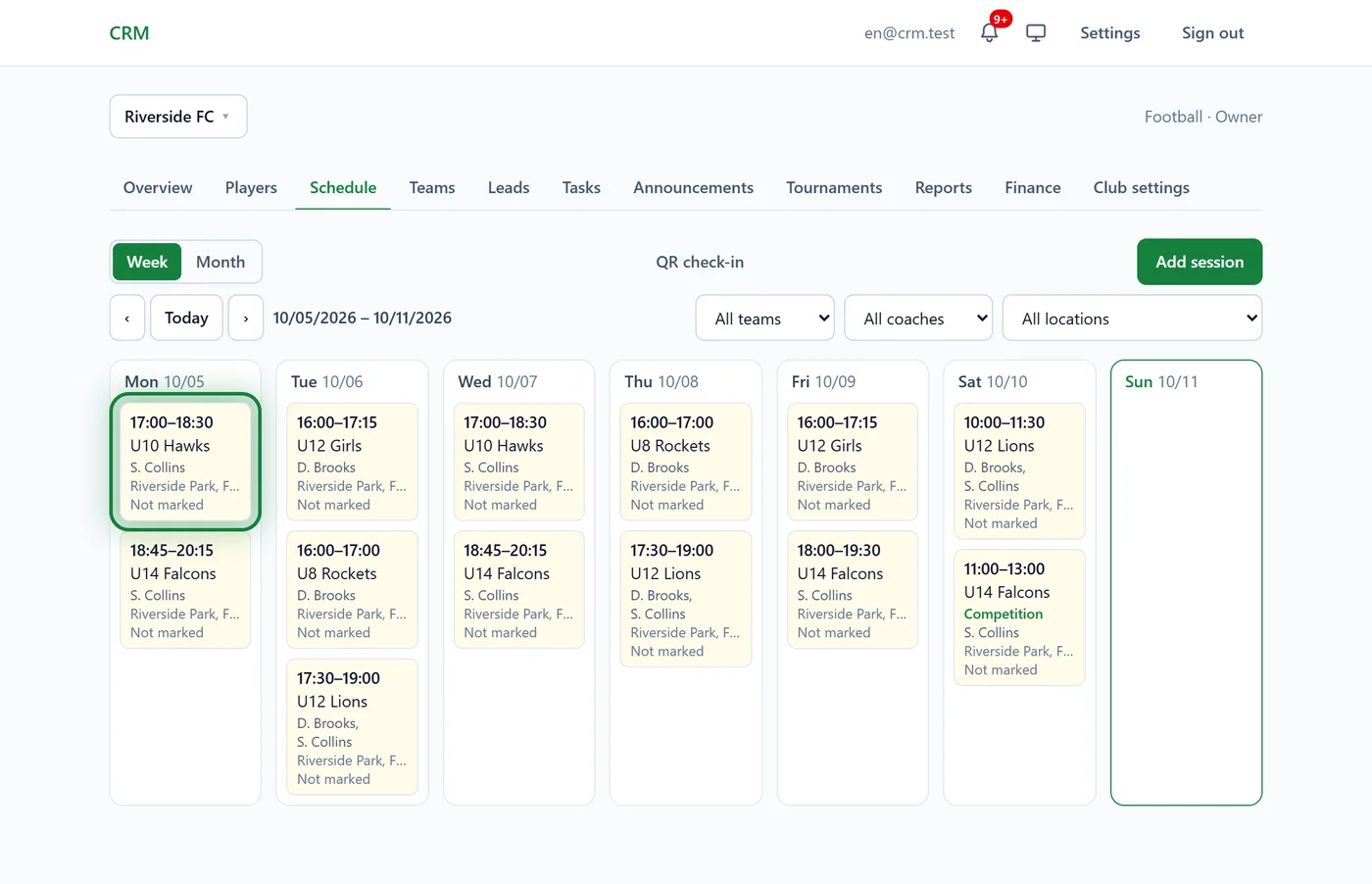
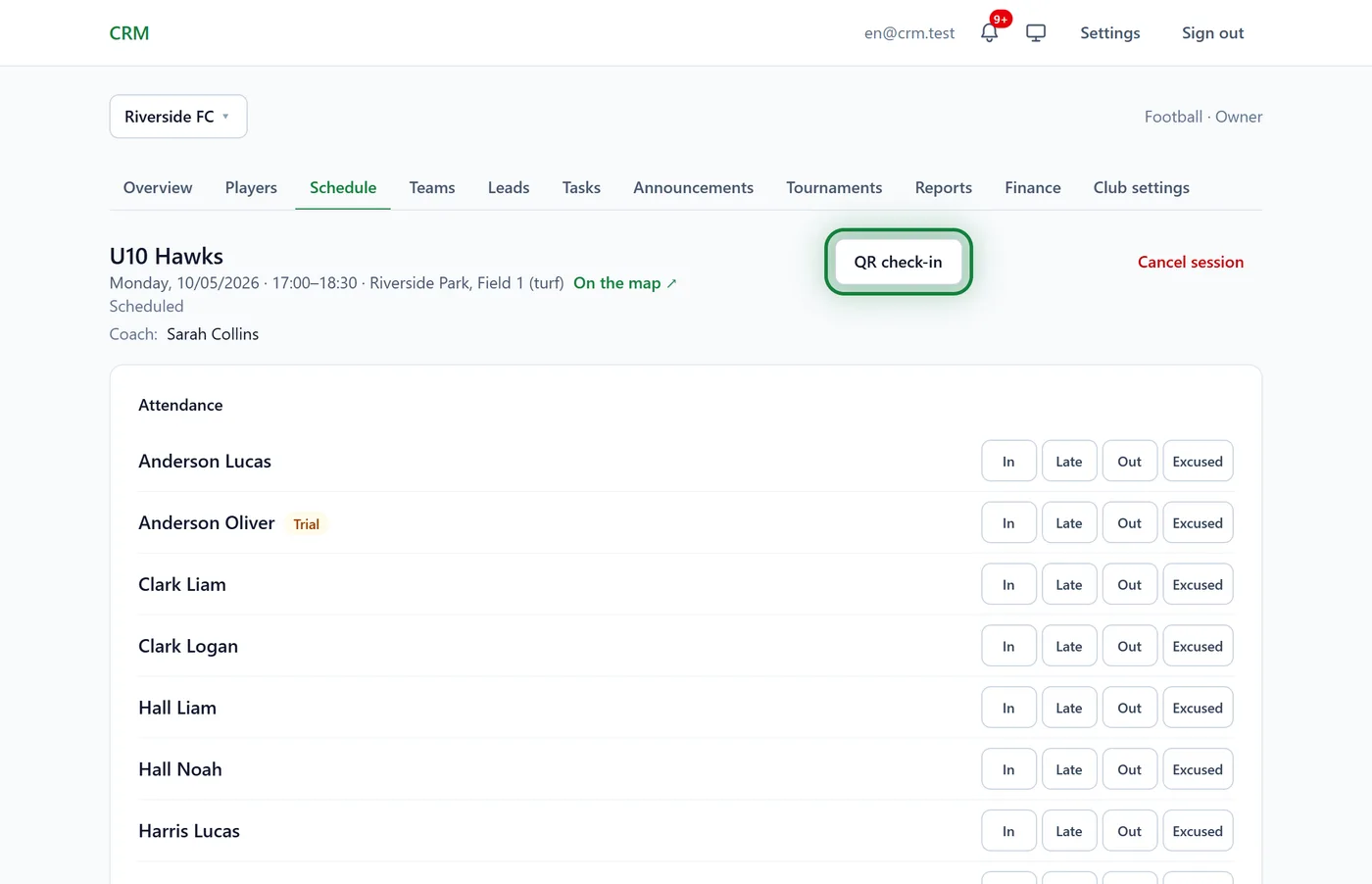
Click the session. The player list opens under Attendance.
Tap one button next to each player:
- In: they came;
- Late: they came late;
- Out: they didn't come;
- Excused: they missed it for a good reason. A Reason field appears; type something like "ill".
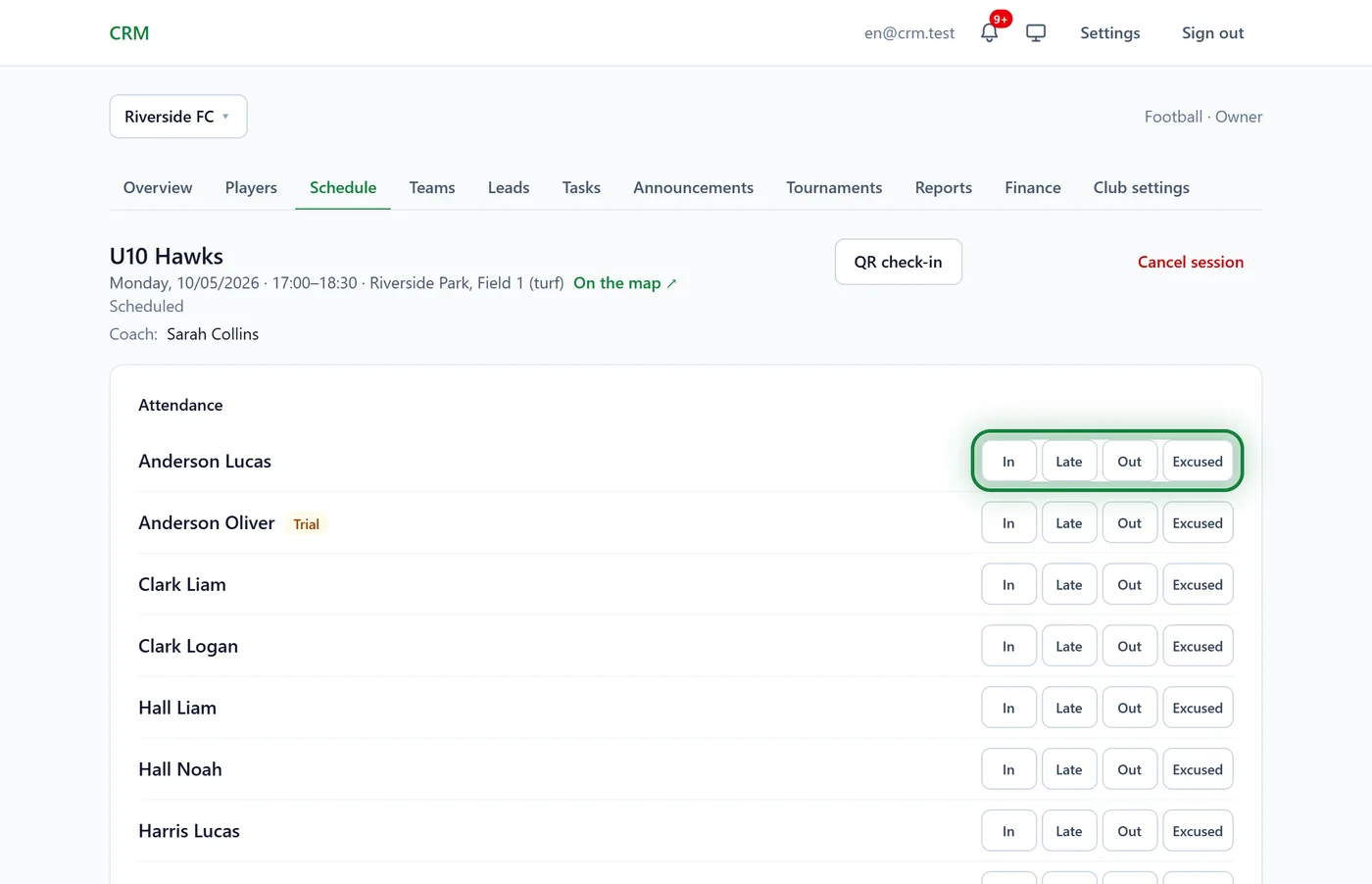
Every mark is saved at once; there is no Save button. Made a mistake? Tap the same button again to clear it.
Almost everyone came? Mark the ones who didn't, then click Mark the rest present.
On a phone
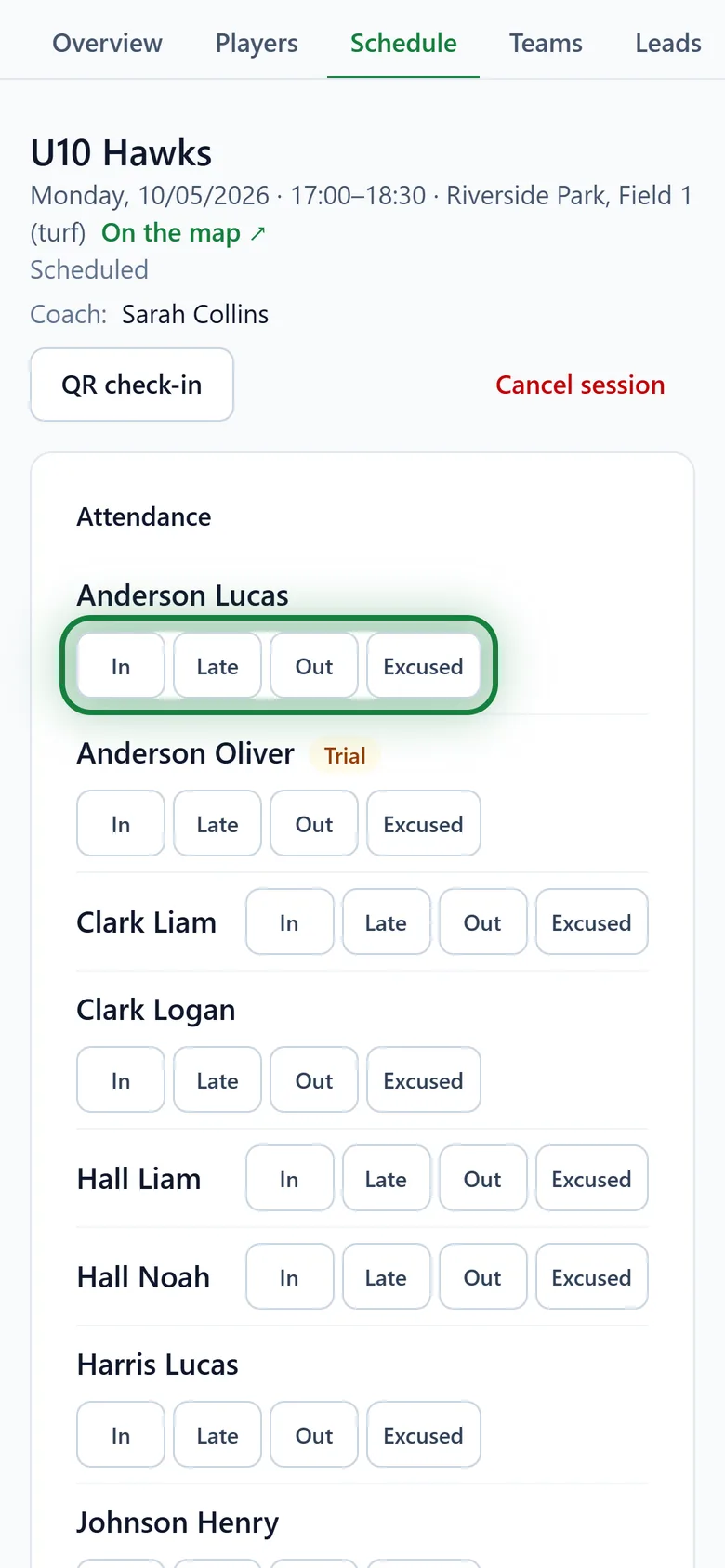
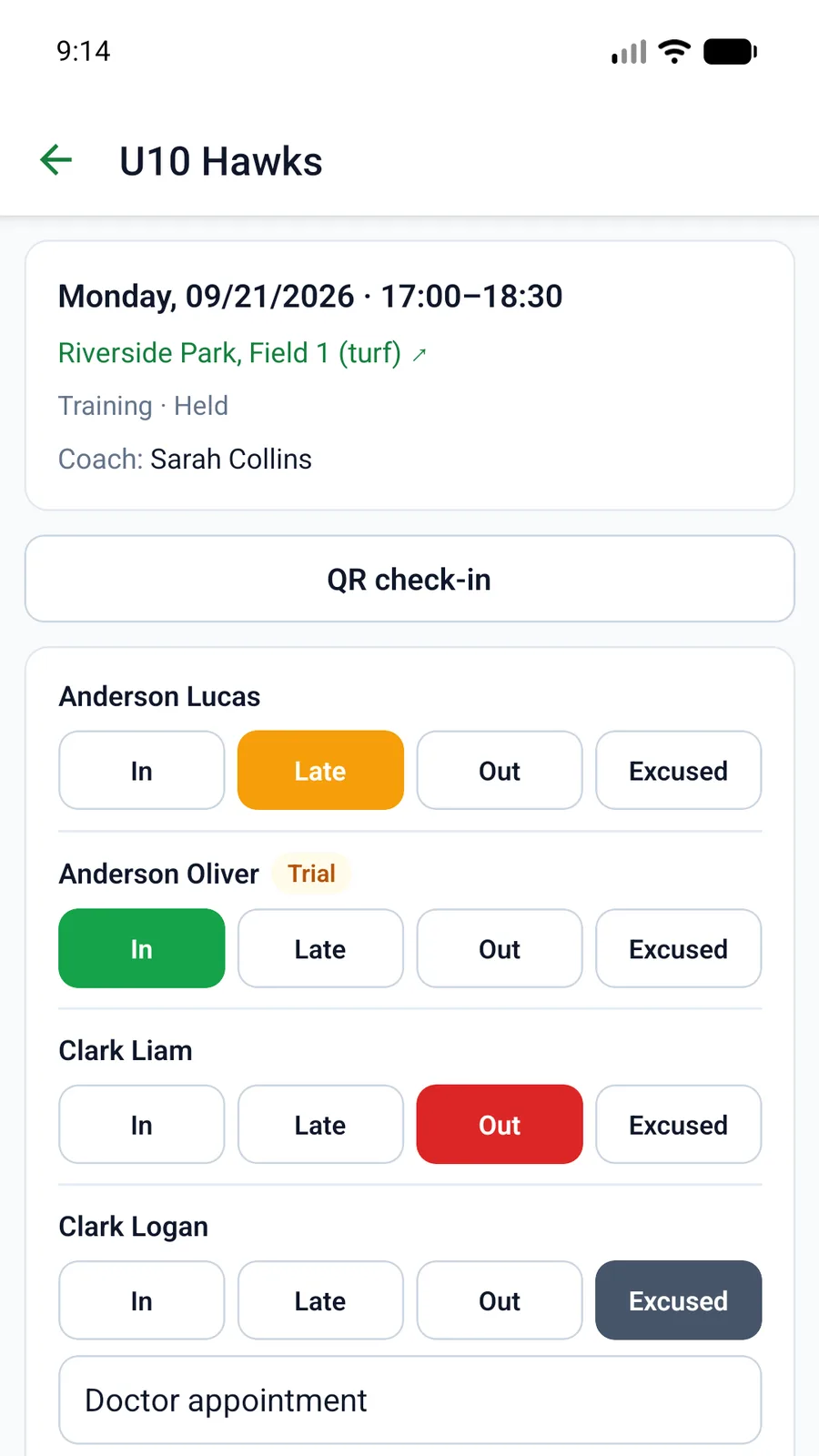
In the phone's browser the page is the same, with the buttons under each name. In the Android app: the Schedule tab → the session → the same buttons.
QR check-in
A session page has a QR check-in button. Point the camera at a player's QR code and they are marked present. Each player's code is on their profile: print it, or the family can show it from their phone.
Tips
- Coaches get a notification (the bell at the top) about sessions left unmarked, with a link straight to the session.
- The Overview page shows how many sessions in the last two weeks are still not marked.
- If a family has already replied "Not coming", you see the reply and the reason next to the name.
FAQ
A coach sees the list but no buttons
Coaches mark the sessions of their own groups. Other groups' sessions are view-only for them. Managers and the owner can mark any session.
Can I fix last week's marks?
Yes. Open the session in the schedule and tap a different button. Below the list you can see who marked it.
Does an excused absence use up a session from a pack?
The club decides this in the price plan, in the field "Excused absences that do not use a session". If that field is empty, excused absences never use up a session.